

Many independent CPAs in Miami struggle to keep up with the constant churn of technology subscriptions, outdated hardware, and forgotten cloud tools that quietly drain profits. For solo practices with big revenue growth ambitions, the difference between scattered spending and a strategic IT budgeting process can be millions. This guide sheds light on how a clear, practical approach to technology investments can help CPAs maximize every dollar, eliminate waste, and align each purchase with measurable business outcomes.
Table of Contents
- Step 1: Assess Current Technology Assets And Needs
- Step 2: Set Revenue-Driven It Budget Priorities
- Step 3: Allocate Funds For Scalable Technology Investments
- Step 4: Implement Budgeting Strategies For Compliance
- Step 5: Review And Refine Your It Budgeting Process
Quick Summary
| Key Insight | Explanation |
|---|---|
| 1. Create a Complete Tech Inventory | Document all technology assets, including subscriptions and hardware, to identify unused resources and control costs. |
| 2. Prioritize Revenue-Driven Budgeting | Allocate spending to tools that contribute either to operational stability or revenue growth, avoiding unnecessary expenses. |
| 3. Invest in Scalable Solutions | Choose technologies that can grow with your firm, preventing future limitations and ensuring long-term efficiency. |
| 4. Regularly Review Budget Performance | Conduct quarterly reviews to track spending against the budget and adjust for any inefficiencies or needs. |
| 5. Allocate for Compliance Costs | Dedicate funds for ongoing compliance and security needs, understanding it as insurance against potential risks and fines. |
Step 1: Assess current technology assets and needs
You’re about to take a hard look at what you actually own versus what you actually need. This step separates CPAs who waste money on technology from those who build real competitive advantages. Here’s the truth: most solo practices have no clear picture of their entire tech stack. They know about their accounting software. They know about their laptops. But the dozens of smaller tools, subscriptions, and devices? They’re scattered across different credit cards and forgotten login spreadsheets. That’s where money disappears.
Start by creating a complete inventory of everything technology-related that your firm owns or pays for. Pull your last six months of credit card statements and look for recurring charges. Check your email for renewal notices. Walk through your office and note every device. Include hardware like computers, servers, printers, and networking equipment. Include software licenses for QuickBooks, tax preparation software, and any cloud tools you use. Include subscriptions to email, file storage, collaboration platforms, and security tools. Write it all down. The goal here is brutal honesty about what you actually have, not what you think you have.
Next, evaluate where each asset sits in its lifecycle. Some technology is brand new. Some is five years old and held together with prayers. Some is somewhere in between. Effective IT asset management involves tracking lifecycle stages from acquisition through retirement, which helps you understand when replacements are coming due and where your money is going. A printer you bought seven years ago might be costing you thousands in maintenance and supplies compared to replacing it. A software license you renewed last year might be sitting unused while you pay for something else that does the same job. Understanding this lifecycle picture is critical because technology ages differently. Hardware typically becomes unreliable or obsolete after five to seven years. Software needs updates regularly or creates security vulnerabilities. Cloud subscriptions just keep charging you whether you use them or not.
Now assess your actual needs against what you have. Ask yourself hard questions: What technology does my firm truly need to serve clients well? What tools do my competitors use that I don’t? What causes my team to complain or slow down? What creates security or compliance risks? Conducting thorough assessments of existing IT infrastructure helps identify inefficiencies and align your current technology with your business requirements. Don’t confuse “nice to have” with “need to have.” A tool that saves someone an hour per week sounds great until you realize you’re paying $5,000 per year for it. You need to know which tools actually move the needle for your revenue and which ones just feel productive.
Document any gaps between what you have and what you need. Maybe you need better cybersecurity tools because you’re handling sensitive client data without proper protection. Maybe you need backup systems because a single server failure could paralyze your practice. Maybe you need collaboration tools because your team is spending too much time on email chains. Maybe you need mobility solutions because clients expect to meet with you outside the office. These gaps represent your actual technology needs, not hypothetical wishes.
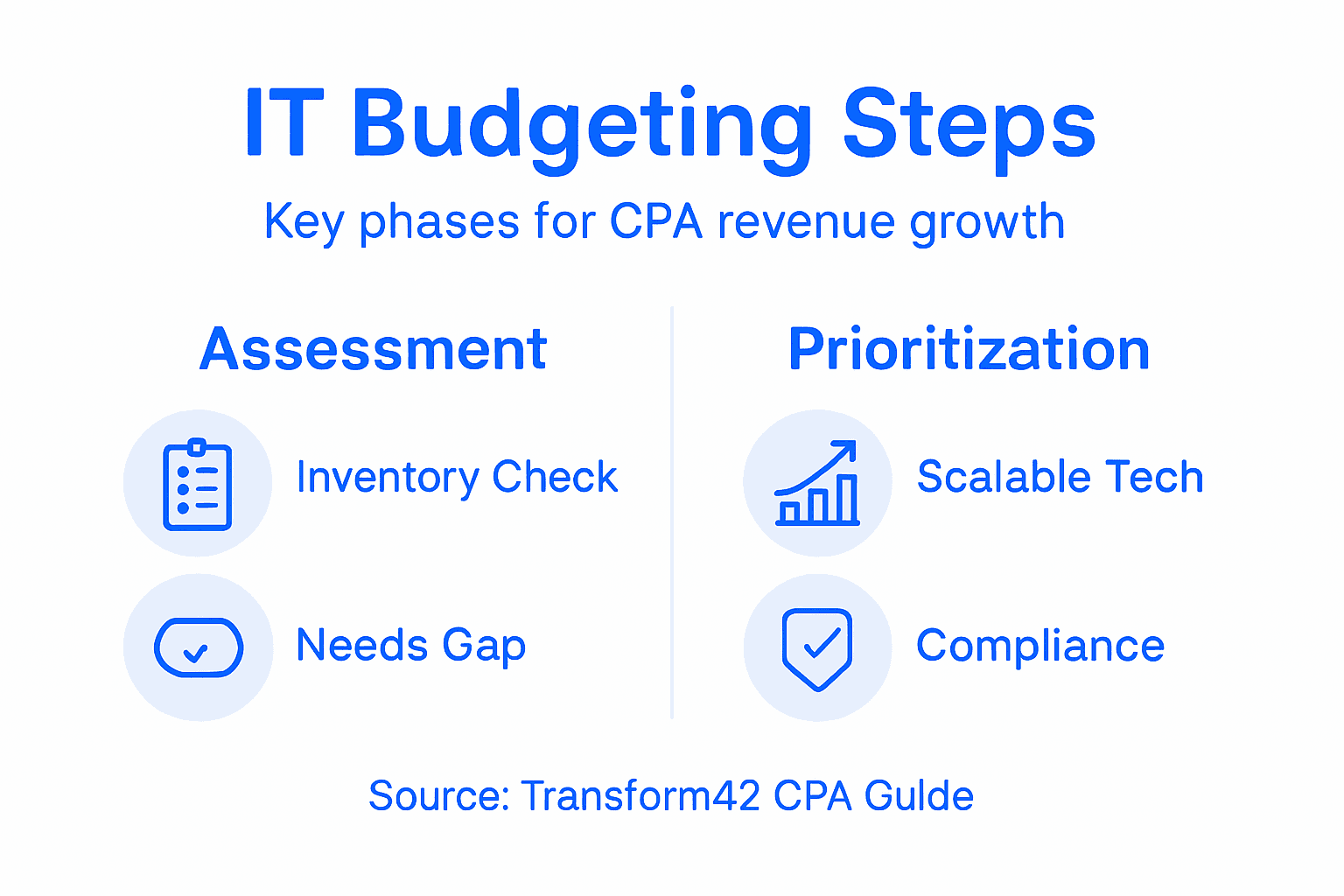
Here’s a summary of technology asset types and their key assessment considerations for CPA practices:
| Asset Type | Assessment Focus | Lifecycle Indicator | Typical Business Impact |
|---|---|---|---|
| Hardware | Age, reliability, cost | Replacement every 5-7 years | Productivity, maintenance cost |
| Software | Usage, updates, redundancy | Regular patches/renewals | Security, efficiency, compliance |
| Cloud Subscriptions | Actual use vs. charges | Ongoing monthly billing | Collaboration, data storage |
| Security Tools | Protection level, coverage | Evolving threats, updates | Risk reduction, client trust |
Tip: Create a simple spreadsheet that lists every technology asset with its purchase date, annual cost, current condition (working well, struggling, or dying), and whether you actually use it. This becomes your reference document for every budget decision you make going forward. Update it quarterly so you always know exactly where your money flows.
Step 2: Set revenue-driven IT budget priorities
Now that you know what you have and what you actually need, it’s time to decide where your money should go. This step is where most CPAs fail because they treat IT budgets like necessary expenses instead of business investments. Here’s the critical shift in thinking you need to make: every dollar you spend on technology should either protect your business or grow your revenue. If it does neither, it shouldn’t be in your budget. Period.
Start by categorizing your planned technology spending into three buckets. The first bucket is operational stability. These are the tools and systems you need to keep your practice running without interruption. This includes your accounting software, security infrastructure, backup systems, hardware maintenance, and basic cybersecurity. These investments prevent disasters but don’t directly generate new revenue. The second bucket is efficiency and margin improvement. These are tools that let your team work faster or smarter, reducing costs per client or freeing up capacity to serve more clients without hiring. Think automation software, better project management tools, or improved collaboration systems. The third bucket is revenue generation and growth. These are investments that directly enable you to land bigger clients, serve more clients, or charge higher fees. This might include advanced analytics tools, specialized software for specific client types, or technology that lets you offer services competitors cannot.
Here’s where most solo practitioners get stuck. They spend eighty percent of their budget on the first bucket and ten percent on the second and third combined. Then they wonder why their revenue isn’t growing. Yes, operational stability matters. Your practice will collapse without it. But you cannot grow your revenue without making deliberate investments in growth and efficiency. The balance needs to shift. Once your operational foundation is solid, your budget allocation should reflect your growth ambitions. Evaluating investments that directly contribute to business objectives means prioritizing projects with high return on investment to ensure your spending supports your revenue goals, not just operational costs. This is not guesswork. You need to calculate actual return on investment for each potential investment.
For every technology investment you’re considering, ask yourself this question: How will this generate revenue or improve my margin? For operational costs like security software, the answer is “it protects my revenue from being destroyed.” For efficiency tools, calculate how many billable hours you’ll recover. If a tool costs five thousand dollars per year and saves your team fifty hours per year, and you bill at two hundred dollars per hour, you’re recovering ten thousand dollars. That’s a return on investment. For growth tools, think about new client opportunities or higher fees they enable. Can this tool let you serve hedge fund clients you currently cannot? Can it let you charge more because you offer services others don’t? If you cannot articulate a revenue or margin impact, do not fund it.
Have real conversations with your team about what technology would actually help them serve clients better or work more efficiently. They know where the pain points are. They know what slows them down. They know what competitors have that you don’t. Then involve your business in the decision. Do not let IT be a purely technical decision made in isolation. Collaboration between IT and business stakeholders is essential to align technology spending with company-wide financial targets and ensure every dollar moves you toward your revenue goals. This alignment prevents wasted money on tools nobody wants and ensures your investments actually solve real problems.
Rank your potential investments by return on investment and strategic importance. What must happen first? What creates the foundation for other investments? What delivers the fastest payback? What directly enables your next revenue milestone? Your budget is limited, so you need to know which investments matter most. This ranking becomes your priority roadmap for the year.
Tip: Create a simple business case for each significant technology investment showing the annual cost, expected efficiency gains or revenue impact, payback period, and strategic importance. This forces you to think like a business owner instead of just checking boxes, and it gives you a clear reference when budget pressures force you to cut something.
Below is a practical comparison of IT budget allocation categories and their value to CPA firms:
| Budget Category | Primary Goal | Example Investments | Impact on Firm Growth |
|---|---|---|---|
| Operational Stability | Prevent disruption | Accounting software, backups | Protects existing revenues |
| Efficiency & Margin | Reduce cost per client | Automation, project tools | Frees capacity, lowers cost |
| Revenue Generation & Growth | Enable client expansion | Advanced analytics, portals | Directly grows top-line |
| Compliance & Security | Meet regulatory obligations | Monitoring, training | Avoids legal/financial risks |
Step 3: Allocate funds for scalable technology investments
You’ve identified what you need and prioritized where your money should go. Now comes the allocation phase, and this is where many CPAs make a costly mistake. They buy technology that solves today’s problem but creates tomorrow’s limitation. A solo practice spending on technology as if they’re a solo practice will never become a multi-million dollar firm. You need to think like the business owner you want to become, not the one you are today.

Scalability is the key concept here. Scalable technology can grow with your business without requiring a complete overhaul. Cloud-based accounting software that expands to handle more transactions is scalable. A collaboration platform that lets you add team members without breaking the system is scalable. A security infrastructure that protects ten employees or a hundred employees equally is scalable. A custom-built software solution that works only for your exact current setup is not scalable. When you allocate funds, you must prioritize scalable solutions even if they cost more upfront. Strategic IT budgeting requires allocating resources toward scalable technology solutions that can adapt as your business grows, rather than buying point solutions that need replacement when you expand. The cost difference often disappears when you factor in replacement and transition costs down the road.
Here’s how to think about allocation across different technology categories. Allocate funds for your core infrastructure and business applications first. These are the systems clients will interact with and the backbone of your operations. This might be your accounting software, tax software, client portal, billing system, and core security infrastructure. These tools must be rock solid and capable of handling growth. Next, allocate funds for efficiency and collaboration tools. These improve how your team works and scale with your headcount. Cloud storage, project management, time tracking, and communication platforms fall here. Then allocate funds for growth enabling technology. These are the specialized tools that let you serve specific client types or industries. Finally, allocate a contingency reserve. Building contingency reserves and maintaining budget flexibility allows organizations to respond effectively to changing demands that you cannot predict today. Maybe a client will require a specific compliance tool. Maybe a new regulation will demand different reporting. Maybe an opportunity will emerge to serve a new market. Contingency funds let you move fast when these moments happen.
Think about cloud versus on-premises investments. Cloud solutions are almost always more scalable for growing practices. You pay monthly, add capacity as needed, and don’t worry about hardware maintenance. On-premises solutions require capital investment, need replacement on a cycle, and create scaling headaches. Unless you have very specific technical reasons, allocate toward cloud. Think about modular solutions over monolithic ones. Effective allocation includes prioritizing scalable investments such as cloud services and modular software platforms that support organizational growth because they let you add capabilities without ripping out and replacing what you have. Monolithic systems are like building a house where you have to knock down walls to add a room. Modular platforms let you add rooms without disturbing the foundation.
Consider your team when allocating funds. How many people are you today and how many do you want next year or in three years? Allocate technology as if you’re the larger firm already. If you’re planning to grow from two CPAs to five, buy collaboration tools rated for ten. If you’re planning to double your client base, buy a client management system that can handle triple. This forward thinking prevents the situation where you max out your technology capacity just when you’re starting to grow.
Build a dynamic budget that can flex. You cannot predict everything. Markets change, new tools emerge, unexpected opportunities arrive. A dynamic budget that adjusts according to growth trajectories ensures long-term sustainability of IT expenditures and maximizes return on investment. Allocate seventy percent of your budget to planned, approved investments. Hold twenty percent for opportunities and adjustments that emerge during the year. Keep ten percent purely for contingencies. This gives you flexibility without losing discipline.
Tip: When evaluating any technology investment, ask yourself this question: Can this system handle three times our current size without modification or replacement? If the answer is no, allocate toward something more scalable instead. This single question will prevent you from buying technology you’ll outgrow in eighteen months.
Step 4: Implement budgeting strategies for compliance
This step feels like a burden until you understand the real cost of getting it wrong. Compliance is not something you budget for once and check off a list. It is a continuous commitment that must be woven through every IT spending decision you make. The firms that treat compliance as an afterthought end up spending ten times more than firms that budget for it from the start. They face audits, penalties, client losses, and reputation damage that no amount of money can fix.
Start by understanding what compliance actually means for your practice. You handle sensitive client information including tax returns, financial statements, social security numbers, and banking details. You are subject to IRS regulations around data retention and security. You likely have cybersecurity obligations under state laws and industry standards. You may have specific requirements if you work with healthcare clients, trusts, or regulated entities. Each of these creates a compliance burden that must be funded. Do not guess about what applies to you. Consult with your professional liability insurance provider, your state CPA society, and possibly a compliance consultant. Know exactly what you are required to do. That knowledge drives your budget.
Compliance budgeting has several components that must all be funded. First comes foundational security technology. This includes firewalls, antivirus software, email security, endpoint detection, and intrusion prevention systems. Budgeting strategies must include funding for asset tracking systems, security updates, license management, and audit readiness measures to ensure all IT assets meet industry standards and regulatory expectations. Second comes data protection and backup systems. You need redundant backups in case of ransomware, server failure, or disaster. You need secure data destruction protocols for old files. You need encryption for data in transit and at rest. Third comes monitoring and detection systems. You cannot be compliant if you don’t know what’s happening on your network. Security monitoring, log management, and threat detection systems let you identify problems before they become disasters. Fourth comes regular updates and patches. Software vulnerabilities are discovered constantly. Your budget must cover the cost of staying current with security patches and software updates.
Beyond technology, budget for the human side of compliance. Implementing budgeting strategies for compliance involves integrating regulatory considerations into your IT financial plan, including costs associated with cybersecurity frameworks, data protection protocols, and continuous monitoring along with compliance training and certifications. Your team needs training on how to handle client data securely. They need to understand password policies, phishing awareness, and data handling procedures. Budget for annual or semi-annual training. Budget for someone to manage your cybersecurity compliance program. This might be an external consultant or an internal team member. It requires time and attention. Budget for regular security assessments and penetration testing. You need to know whether your systems actually work the way you think they do. Budget for audit preparation and documentation. Regulators want evidence that you take security seriously. You need systems and records that demonstrate your compliance efforts.
Create a separate compliance budget line that is not optional and not discretionary. This is not the place to cut corners when revenue is down. Non-compliance costs far more than compliance. Frame this budget to yourself as insurance and risk mitigation, because that is what it is. A data breach will cost you more in legal fees, notification costs, credit monitoring, regulatory fines, and lost clients than you will spend on compliance over many years. When you allocate compliance dollars, you are buying protection for your entire business.
Build compliance review into your annual budgeting process. What regulatory requirements changed in the past year? What new threats emerged? What technology you relied on is now outdated? Your compliance budget is not static. It evolves as threats and regulations evolve. Schedule a quarterly check-in with your IT support partner or consultant to review whether your compliance strategy still fits your business and whether your budget allocations still make sense.
Tip: Allocate at least ten percent of your total IT budget to compliance, security, and risk mitigation even if everything seems fine right now. This percentage protects you from the false confidence that comes with not having experienced a breach. When the attack comes, you’ll have the tools and systems to survive it.
Step 5: Review and refine your IT budgeting process
You have created a budget based on your assets, priorities, and compliance needs. You have allocated funds for the year. Now comes the part that separates successful CPA firms from those that waste money year after year. You need to actually review what happened and learn from it. Most practices set a budget in January and never look at it again until the next January. By then, the damage is done. Money was spent poorly. Opportunities were missed. Lessons were forgotten. This step prevents that waste.
Schedule quarterly budget reviews. Mark them on your calendar now and treat them as seriously as you treat client meetings. These reviews serve two purposes. First, they help you track whether you are actually spending money the way you planned. Second, they help you spot problems early when you can still do something about them. Set aside two hours each quarter to sit down with your financial data and your original budget. Look at what you actually spent versus what you planned to spend. Some variance is normal. You budgeted five thousand dollars for software licensing and spent five thousand three hundred. That is fine. But if you budgeted five thousand and spent twelve thousand, you have a problem that needs explanation.
During these reviews, ask hard questions about every significant deviation. Why did we spend more than budgeted on cloud services? Did we add users we didn’t plan for? Did we discover we needed a new tool? Did we get upsold on unnecessary features? Understanding the why matters because it tells you whether the variance was legitimate or wasteful. Some legitimate reasons include growth you didn’t anticipate, new client requirements, or compliance discoveries. Some wasteful reasons include poor decision-making, unused subscriptions that kept charging, or tools that didn’t deliver value. When you find wasteful spending, stop it immediately. Do not wait until next year. If a software subscription costs two thousand dollars per year and nobody is using it, cancel it this month. That’s two thousand dollars you reclaim.
Regularly reviewing and refining the IT budgeting process is essential to ensure alignment with evolving business goals and technology landscapes, involving continuous monitoring of budget performance and incorporating stakeholder feedback. During your reviews, bring in your team members who use the technology. They have insights you do not have. They know which tools are working and which ones are creating frustration. They know where they are wasting time or duplicating effort. They know what tools competitors are using that you are not. Ask them directly. What technology is slowing you down? What would make your job easier? What do clients complain about? What do you wish you had? Document these inputs. They become input for next year’s budget.
Look at return on investment for tools you implemented. If you bought a project management tool, are you actually using it? Are you saving time? Is your client communication better? Is your project tracking more accurate? Be honest with yourself. Some tools sound great in theory but fail in practice. If something is not delivering value, you need to know. Calculate the opportunity cost. If you are paying two thousand dollars per year for a tool that provides zero value, that is two thousand dollars you could have spent on something that actually helps. The only hard truth that matters is this: Does this technology make us more money or save us money? If the answer is no after a fair trial period, get rid of it.
Reviewing the IT budget is a dynamic ongoing process that incorporates data analysis and stakeholder input to refine future allocations, enabling you to identify inefficiencies and adjust for changing technology priorities. Use your quarterly reviews to track metrics that matter. How many security incidents did we have? Did they decrease after we implemented new security tools? How much time did our team save this quarter compared to last quarter? How many new clients did we win that we could not have served without specific technology investments? How much did our margins improve? These metrics tell you whether your investments are working.
At the end of each year, do a comprehensive annual review. Look at the full year of actual spending. Calculate total return on your technology investments. What worked? What didn’t? What changed in the business that affects next year’s technology needs? What new opportunities emerged? What threats showed up that you need to address? Use these insights to inform next year’s budget. Your budget from year two will be smarter than year one. Your budget from year three will be smarter still. This iterative improvement compounds over time. You go from making expensive mistakes to making calculated investments.
Tip: Create a simple spreadsheet that tracks each major technology investment with columns for budgeted cost, actual cost, expected benefit, actual benefit delivered, and a yes or no answer to the question “Should we renew this next year?” Review it quarterly and you will spot problems immediately instead of discovering them at tax time.
Maximize Your IT Budget to Drive Real Revenue Growth for Your CPA Firm
Managing your IT budget with a focus on revenue growth and compliance is one of the biggest challenges CPAs face today. If you struggle to prioritize technology investments that truly protect your practice and fuel scalable growth, you are not alone. The key is shifting from viewing IT expenses as just costs to treating them as strategic business investments that enable you to land bigger clients, automate repetitive tasks, and reduce risk without overextending your resources.
At Transform42, we specialize in helping CPAs in Miami build efficient, scalable, and compliant technology environments. Our approach aligns perfectly with proven Processes for budgeting and IT management that drive margin improvement and operational stability. When you partner with us, you get all your technology in one place and one partner focused on growing your monthly revenue by 7-8 figures. Let us help you create a customized IT budget strategy that reallocates spending toward growth, security, and scalability so you can reclaim your time and achieve your business goals.

Ready to stop wasting money on ineffective IT tools and start investing in your firm’s future success? Visit Transform42 today and discover how strategic technology planning and budgeting can transform your CPA practice. Explore our proven Processes to get started or reach out to learn how to take control of your IT investments now.
Frequently Asked Questions
How do I assess my current technology assets for budgeting?
To assess your current technology assets, create a complete inventory of all technology-related items your firm owns or pays for. Review your last six months of credit card statements, check for renewal notices, and physically inventory hardware and software items within 30 days.
What are the key categories I should include in my IT budget?
Your IT budget should include three main categories: operational stability, efficiency and margin improvement, and revenue generation and growth. Prioritize your planned spending to balance essential tools with those that drive growth within your budgeting timeframe.
How can I ensure my technology investments are scalable?
To ensure your technology investments are scalable, prioritize cloud-based solutions that can grow alongside your business without requiring significant changes. Focus on selecting systems that can handle multiple users or increased transactions over time within your budgeting intervals.
How often should I review my IT budget to drive revenue growth?
You should review your IT budget quarterly to track spending and evaluate technology effectiveness. Set aside time at the end of each quarter to analyze your expenses and return on investment to make informed adjustments for future budget periods.
What should I include in my compliance budget for IT?
In your compliance budget, include foundational security technology, data protection systems, monitoring tools, and regular updates. Allocate at least 10% of your total IT budget to compliance to ensure ongoing protection against regulatory penalties and security breaches.
How can my team contribute to improving the IT budgeting process?
Encourage your team to provide insights on technology that slows them down or enhances their efficiency. Collect this feedback during your budget reviews to refine next year’s allocations and make informed investing decisions.



