

Independent accounting firms in Florida face mounting pressure to deliver faster client service while managing complex regulatory requirements. Over 80% of accounting firms struggle with workflow inefficiencies that erode billable hours and client satisfaction. Streamlining business process workflows through intelligent automation offers a proven path to reclaim lost time, enhance service quality, and unlock seven to eight figure revenue growth without proportional hiring increases.
Table of Contents
- Understanding Business Process Workflow In Accounting And Finance
- Common Workflow Challenges And Inefficiencies In Independent Accounting Practices
- Role Of Automation And Ai In Transforming Accounting Workflows
- Common Misconceptions About Workflow Automation In Accounting And Finance
- Evaluating And Choosing Workflow Software For Accountants
- Implementation Strategies To Successfully Adopt Business Process Workflow Automation
- Key Performance Indicators To Monitor And Measure Workflow Success
- Practical Applications And Case Studies Demonstrating Revenue Growth Through Workflow Optimization
- Transform Your Accounting Firm’s Workflow With Expert It Consulting
- Frequently Asked Questions
Key takeaways
| Point | Details |
|---|---|
| Time savings | Workflow automation saves 30-40% of routine task time in accounting firms. |
| Intelligent automation | IPA combines AI with robotic process automation to handle judgment-intensive accounting tasks. |
| Common myths | Automation enhances staff roles rather than reducing jobs, and benefits small independents as much as large firms. |
| Selection criteria | Focus on no-code customization, AI analytics capabilities, and seamless integration with existing systems. |
| Implementation success | Phased rollout with change management, staff training, and continuous KPI monitoring ensures sustainable results. |
Understanding business process workflow in accounting and finance
A business process workflow in accounting represents the sequential tasks and decision points required to complete client deliverables, from initial engagement through final reporting. These workflows orchestrate how information flows through your firm, who handles each step, and when tasks transition between team members.
Core workflow components include client service sequences like tax preparation and audit cycles, administrative processes such as invoicing and document management, and strategic decision support workflows for advisory services. Each component requires coordination between multiple systems, staff members, and client touchpoints.
Accounting firms typically manage several workflow types:
- Client onboarding sequences that gather documentation, verify identities, and establish service agreements
- Monthly close and financial reporting workflows that consolidate data from multiple sources
- Audit preparation processes coordinating evidence gathering, testing procedures, and workpaper reviews
- Invoicing and collections workflows tracking billable time, generating statements, and processing payments
Optimizing these workflows directly impacts your ability to serve more clients without hiring proportionally. Faster turnaround times improve client satisfaction scores, while reducing manual handoffs cuts error rates that trigger costly rework. When workflows operate smoothly, your team spends more hours on strategic advisory work that commands premium fees rather than administrative tasks that drain profitability.
Common workflow challenges and inefficiencies in independent accounting practices
Historic reliance on manual data entry, paper-based documentation, and email coordination creates significant bottlenecks in most independent practices. These inefficiencies accumulate across multiple touchpoints, reducing billable capacity and frustrating both staff and clients.
Typical pain points include:
- Document collection requiring multiple follow-up emails and manual filing
- Data entry duplicating effort across tax software, practice management systems, and client portals
- Approval delays when partners review work in batches rather than real-time
- Version control issues with spreadsheets and documents shared via email
- Client communication gaps caused by fragmented systems and unclear task ownership
Recent survey data reveals the scope of these challenges across the profession:
| Workflow Challenge | Firms Affected | Average Time Lost Weekly |
|---|---|---|
| Manual document processing | 78% | 8-12 hours |
| Duplicate data entry | 65% | 6-10 hours |
| Approval bottlenecks | 71% | 4-8 hours |
| Communication delays | 82% | 5-9 hours |
These inefficiencies directly impact profitability by reducing billable hour capacity and increasing overhead costs. A firm losing 20 hours weekly to preventable workflow friction sacrifices roughly 1,000 billable hours annually per professional, translating to six figures in lost revenue opportunity. Poor workflows also degrade client experience through slower response times and missed deadlines, increasing churn risk among your most profitable relationships. Exploring workflow automation benefits for accountants reveals how technology addresses these specific pain points systematically.

Role of automation and AI in transforming accounting workflows
Traditional workflow automation uses rule-based software to handle repetitive, predictable tasks without human intervention. Examples include automatically routing invoices for approval, generating standard reports on schedule, or sending reminder emails when deadlines approach. This basic automation eliminates manual effort for straightforward processes.
Intelligent process automation (IPA) represents a quantum leap beyond traditional approaches. IPA integrates AI with robotic process automation, allowing judgment-intensive accounting tasks to be automated. Rather than simply following preset rules, IPA systems learn from historical decisions, recognize patterns in unstructured data, and adapt to exceptions that would halt traditional automation.
The impact shows clearly in time savings metrics. Firms implementing workflow automation report average time savings of 30-40% on routine tasks like:
- Document approval routing and status tracking
- Client communication scheduling and follow-up
- Data extraction from source documents into accounting systems
- Compliance checklist completion and verification
“Intelligent automation transforms staff capacity by handling the routine tasks that previously consumed 60-70% of professional time, allowing accountants to focus exclusively on complex analysis and strategic client advisory.”
AI specifically enhances accounting workflows through natural language processing that extracts key data from contracts and invoices, machine learning models that flag unusual transactions requiring review, and predictive analytics supporting client risk assessments. These capabilities allow automation to extend into areas like preliminary audit test selection and customized reporting that traditionally required experienced judgment.
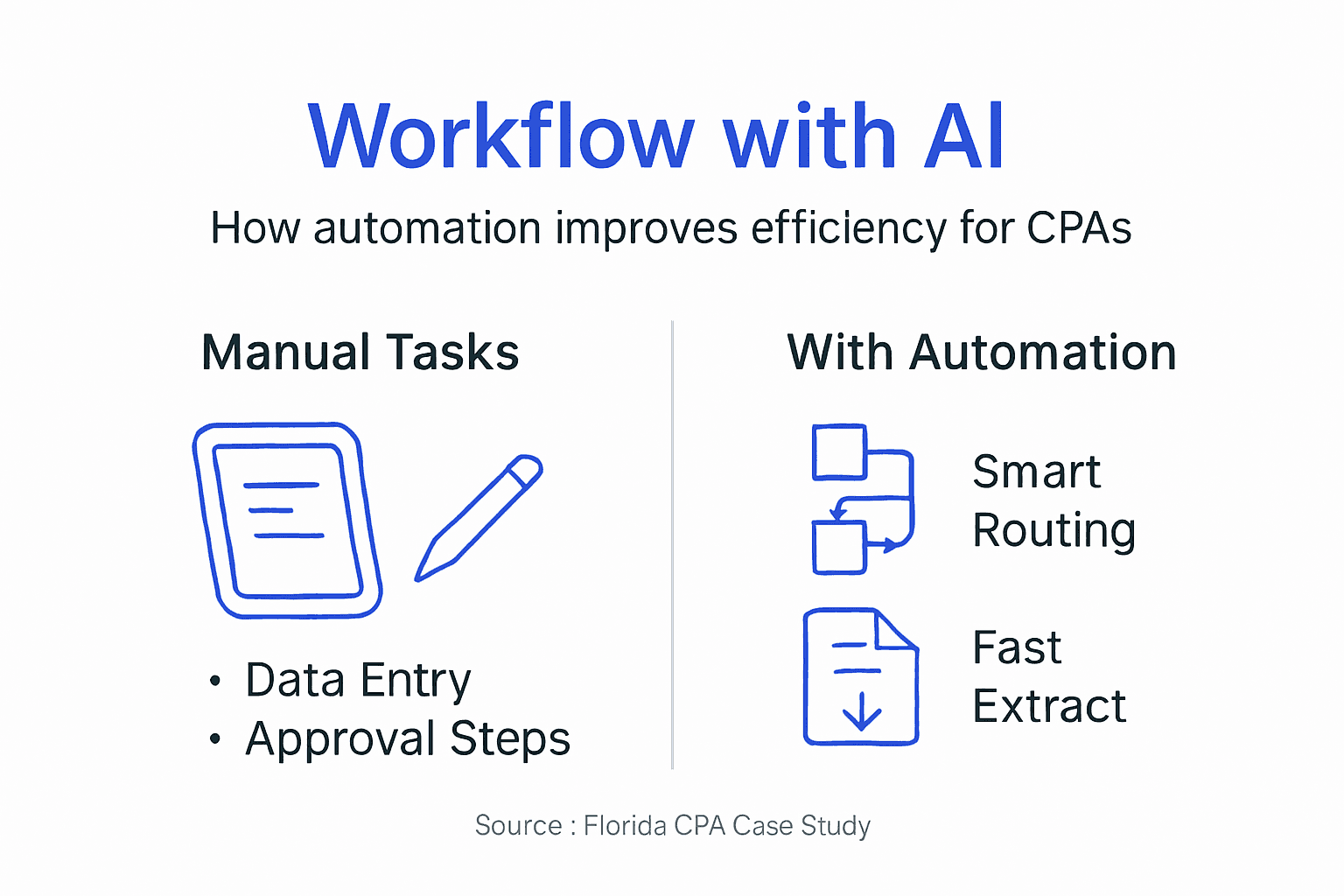
The strategic advantage comes from redirecting freed capacity toward higher-value services. When automation handles document processing and routine communications, your team gains bandwidth to develop sophisticated tax strategies, provide proactive advisory services, and deepen client relationships. This shift from tactical execution to strategic consultation directly enables revenue growth without proportional staffing increases. Understanding broader automation benefits for accountants helps frame how these technologies fit your specific practice needs.
Common misconceptions about workflow automation in accounting and finance
Several persistent myths prevent firms from capturing automation benefits. Addressing these misconceptions head-on helps you make informed technology decisions based on reality rather than unfounded concerns.
The most common barrier stems from workforce fears. A typical misconception is that automation will reduce staffing rather than augment capacity and job satisfaction. In practice, successful automation implementations redeploy staff toward more engaging, higher-value work. Team members report greater job satisfaction when freed from repetitive tasks to focus on client problem-solving and relationship building.
Another widespread myth suggests only large firms with extensive IT resources can benefit from automation. Independent practices actually gain proportionally larger efficiency improvements because manual processes consume a higher percentage of total capacity. Modern no-code platforms make sophisticated automation accessible without requiring dedicated technical staff or substantial capital investment.
Many accountants also believe automation applies only to simple, repetitive tasks. This outdated view ignores recent AI advances enabling intelligent systems to support complex decisions. IPA platforms now assist with:
- Client risk scoring using multiple data sources and historical patterns
- Audit procedure selection based on materiality and risk factors
- Tax position analysis comparing alternative strategies
- Customized reporting adapting formats to specific client needs
Pro Tip: Start automation initiatives with high-volume, clearly defined processes like invoice approval or document collection. Early wins build organizational confidence and generate savings funding broader implementation.
The key is recognizing automation as a capability amplifier rather than a replacement technology. Your professional judgment, client relationships, and strategic insight remain irreplaceable. Automation simply removes friction points that prevent you from deploying these core competencies efficiently. Clarifying common automation misconceptions helps frame realistic expectations for your technology investment.
Evaluating and choosing workflow software for accountants
Selecting appropriate workflow automation software requires balancing technical capabilities against practical implementation considerations. Focus evaluation on features directly impacting your firm’s efficiency and client service quality.
Critical selection criteria include:
- No-code customization allowing your team to modify workflows without IT expertise
- AI-powered analytics providing actionable insights from workflow data
- Native integration with your existing accounting software, document management systems, and client portals
- Scalability supporting growth from your current client base to 2-3x volume
- Mobile access enabling approvals and status checks outside the office
- Compliance features maintaining audit trails and regulatory documentation
Understanding capability differences helps frame realistic expectations:
| Approach | Task Complexity | Setup Time | Ongoing Maintenance | Typical ROI Timeline |
|---|---|---|---|---|
| Manual workflows | All levels | None | High | N/A |
| Basic automation | Simple, repetitive | 2-4 weeks | Medium | 6-9 months |
| Intelligent process automation | Complex, judgment-based | 4-8 weeks | Low | 3-6 months |
Your evaluation process should follow structured steps. First, document your current workflows identifying bottlenecks, handoff points, and time consumption by task type. This baseline assessment clarifies which automation features deliver maximum impact for your specific practice.
Next, shortlist three to four platforms meeting your core criteria and request demonstrations using your actual workflow scenarios. Generic demos often showcase features you will never use while glossing over capabilities you need daily. Insist vendors show how their platform handles your specific document types, approval hierarchies, and integration requirements.
Conduct pilot programs testing shortlisted solutions with one or two workflows before firm-wide deployment. Pilots reveal usability issues, training needs, and integration complications in low-risk environments. Set clear success metrics like time savings percentages or error rate reductions to guide final selection.
Pro Tip: Prioritize platforms offering built-in change management resources like training templates, adoption playbooks, and user communities. Technical capabilities matter less than actual adoption rates across your team.
Calculate ROI focusing on billable hour recovery rather than just cost reduction. A platform freeing 10 hours weekly per professional generates $100,000+ in annual revenue opportunity at typical billing rates, easily justifying most subscription costs. Resources for workflow software evaluation for accountants and guidance on choosing workflow software provide additional evaluation frameworks.
Implementation strategies to successfully adopt business process workflow automation
Successful automation adoption requires methodical planning, phased rollout, and continuous refinement. Rushing implementation or skipping change management steps typically results in poor adoption and abandoned initiatives.
Follow this five-step approach:
- Assess current workflows by documenting every step, measuring time consumption, and identifying pain points through staff interviews
- Evaluate automation tools against your specific requirements using pilot tests with real workflows
- Start small by automating one or two high-impact processes completely before expanding scope
- Train thoroughly with hands-on sessions, recorded tutorials, and readily accessible support resources
- Monitor continuously tracking KPIs, gathering user feedback, and iterating on workflow designs
Change management deserves particular attention because technology adoption ultimately depends on people, not software capabilities. Address resistance proactively through transparent communication about automation goals, involvement of staff in workflow design decisions, and celebration of early wins demonstrating tangible benefits.
Phased rollout minimizes disruption while building internal expertise and advocacy. Begin with processes causing the most frustration, where staff actively want relief. Success stories from these initial implementations create momentum for broader adoption across additional workflows.
Pro Tip: Identify automation champions within your team who embrace technology and can mentor colleagues through the transition. Peer support proves far more effective than top-down mandates for driving adoption.
Plan for iteration rather than perfection. Initial workflow designs will require adjustment as you discover edge cases, user preferences, and integration quirks. Build feedback loops allowing staff to suggest improvements and quickly implement changes responding to their input. This continuous refinement approach sustains benefits long after initial implementation. Additional guidance on workflow automation implementation tips helps you avoid common pitfalls.
Key performance indicators to monitor and measure workflow success
Tracking specific metrics validates your automation investment and identifies opportunities for further optimization. Focus KPIs on outcomes that directly impact client satisfaction and revenue growth rather than vanity metrics.
Critical workflow performance indicators include:
- Turnaround time measuring days from client request to deliverable completion
- Document processing speed tracking how quickly source materials move from receipt to system entry
- Error rates counting mistakes requiring rework as percentage of total tasks
- Billable hour recovery quantifying time redirected from administrative to client-facing work
- Client satisfaction scores from surveys assessing responsiveness and service quality
Establish measurement systems capturing these metrics consistently. Most workflow platforms include built-in analytics dashboards, but you may need to supplement with manual tracking for metrics like client satisfaction that require external surveys.
| KPI Category | Baseline | Target | Measurement Frequency |
|---|---|---|---|
| Average turnaround time | Current days | 30-40% reduction | Weekly |
| Document processing volume | Current weekly count | 50% increase | Weekly |
| Rework percentage | Current rate | Below 3% | Monthly |
| Billable hours per professional | Current weekly average | 20% increase | Monthly |
| Client satisfaction score | Current rating | Above 4.5/5.0 | Quarterly |
Link workflow metrics to financial outcomes by calculating revenue impact. Each hour saved on administrative tasks and redirected to billable client work generates quantifiable income. Multiply hours saved weekly by your average billing rate and weeks per year to project annual revenue opportunity.
Client satisfaction metrics correlate strongly with retention and referral rates. Improving satisfaction scores by even half a point typically reduces churn and increases referrals, directly impacting practice growth. Track how workflow improvements influence these leading indicators of revenue expansion.
Set realistic targets based on industry benchmarks and your baseline performance. Expecting 80% efficiency gains immediately creates disappointment, while celebrating 30-40% improvements in the first year maintains momentum. Regular review of KPI trends helps you identify which workflows deliver strongest returns and where additional refinement would help most.
Practical applications and case studies demonstrating revenue growth through workflow optimization
Real-world examples illustrate how Florida accounting firms translate workflow automation into measurable efficiency gains and revenue growth. These success stories provide blueprints you can adapt to your practice.
A Fort Lauderdale tax and advisory firm serving small businesses automated client onboarding, document collection, and engagement letter processing. Within six months, firms reported 30-40% efficiency improvements and enhanced client service post-automation implementation. The practice redirected time savings toward proactive tax planning services, adding $180,000 in annual advisory revenue without additional staff.
A Miami-based CPA focusing on professional services clients implemented intelligent document processing and automated approval routing. Manual data entry time dropped 65%, freeing two staff members to handle 40% more clients during tax season. Client satisfaction scores increased from 4.1 to 4.7 as response times improved and deadline misses became rare.
Key success factors across multiple implementations include:
- Executive sponsorship ensuring adequate resources and organizational priority
- Staff involvement in workflow design creating buy-in and practical solutions
- Focused scope targeting high-impact processes first rather than attempting firm-wide transformation simultaneously
- Continuous measurement tracking KPIs and adjusting approaches based on data
“Automating our document collection and approval workflows gave us back 15 hours weekly per senior accountant. We reinvested that capacity into advisory services, growing that revenue stream from $120,000 to over $300,000 annually within 18 months.”
Lessons learned emphasize the importance of realistic timelines, adequate training investment, and patience during adoption periods. Most firms require three to six months before workflow changes become habitual and efficiency gains fully materialize. Early wins help maintain momentum through this transition period.
These examples demonstrate that seven to eight figure revenue growth becomes achievable when workflow optimization frees capacity for higher-value services. The key is systematically addressing inefficiencies while simultaneously developing service offerings that leverage your newly available professional time.
Transform your accounting firm’s workflow with expert IT consulting
Independent Florida accountants face unique challenges balancing regulatory complexity, client service expectations, and practice growth goals. Transform42 specializes in helping accounting professionals implement workflow automation that enhances efficiency without disrupting daily operations.

Our accounting technology solutions integrate no-code automation platforms with AI analytics optimized for CPA firm workflows. We handle the technical complexity while you maintain focus on serving clients. From initial workflow assessment through full implementation and ongoing optimization, we provide the expertise ensuring your automation investment delivers measurable results.
Our proven methodology combines deep understanding of accounting workflows with practical technology implementation experience. We help you identify high-impact automation opportunities, select appropriate platforms, and manage change effectively across your team. Florida firms working with us typically achieve 30-40% efficiency improvements within six months, redirecting recovered capacity toward workflow automation services that drive revenue growth. Partner with specialists who understand both accounting practice management and modern automation capabilities, positioning your firm for sustainable expansion through scaling accounting firms strategies. Contact Transform42 today to start your workflow transformation journey.
Frequently asked questions
What is business process workflow in accounting?
Business process workflow in accounting refers to the structured sequence of tasks, decision points, and handoffs required to deliver client services or complete internal functions. These workflows orchestrate how information flows through your firm, which team members handle specific steps, and when tasks transition between stages. Common examples include client onboarding sequences, monthly close procedures, audit documentation processes, and invoicing cycles that coordinate multiple systems and staff members.
How can automation improve my accounting firm’s workflow?
Automation reduces time spent on manual data entry, document routing, and routine communications, typically saving 30-40% of effort on administrative tasks. Intelligent automation extends beyond simple repetition to support complex decisions using AI-powered analytics and pattern recognition. These efficiency gains free your team to focus on strategic advisory services, complex problem-solving, and relationship development that command premium fees and drive revenue growth.
What are common misconceptions about workflow automation?
Many accountants mistakenly believe automation reduces jobs when it actually enhances staff roles by eliminating tedious tasks and enabling focus on higher-value work. Another myth suggests only large firms benefit, while independent practices often see proportionally larger efficiency gains. Automation now extends beyond simple repetitive tasks to include AI-supported judgment processes like risk assessment and audit procedure selection, making it valuable across virtually all accounting functions.
Which key performance indicators show successful workflow optimization?
Track turnaround time from client request to deliverable completion, error rates requiring rework, and document processing speed to measure operational improvements. Monitor billable hours per professional to quantify capacity freed for revenue-generating activities. Client satisfaction scores provide leading indicators of retention and referral rates that drive practice growth. Linking these operational KPIs to financial outcomes like revenue per client and overall practice profitability demonstrates automation ROI clearly.



