

TL;DR:
- Workflow automation reduces manual tasks, increasing efficiency and revenue in Miami professional practices.
- Proper process mapping and staff involvement are crucial for successful automation implementation.
- Measuring early results helps scale automation and sustain business growth.
Picture this: it’s 7 p.m. on a Tuesday, and your front-desk staff is still manually entering patient insurance data while your billing team chases down denied claims. Your law partner is copy-pasting client information between three separate systems. Your accounting associates are re-keying the same figures into spreadsheets they’ve used since 2018. Every hour spent on these tasks is an hour not spent serving clients, growing revenue, or reclaiming your life. Business workflow automation changes that equation entirely. This guide walks Miami-based doctors, lawyers, and accountants through a practical, step-by-step path to identifying, implementing, and scaling automation solutions that directly impact monthly revenue.
Table of Contents
- Assessing your business needs and automation opportunities
- Preparing your practice for workflow automation
- Step-by-step: Implementing business workflow automation
- Measuring success and scaling your improvements
- What Miami professionals miss about workflow automation
- Ready to optimize your business workflow?
- Frequently asked questions
Key Takeaways
| Point | Details |
|---|---|
| Target high-value processes | Start by automating tasks that most impact your revenue and efficiency. |
| Plan for team readiness | Assess your workflows and prepare your staff for digital changes to maximize adoption. |
| Implement and measure | Follow a clear sequence—pilot, launch, review—and use data to expand automation. |
| Local expertise matters | Miami professionals need scalable, industry-compliant solutions for lasting growth. |
Assessing your business needs and automation opportunities
Many Miami practices know they need change, but where should they start? The answer is a structured workflow audit. Before you invest in any technology, you need a clear map of how work actually moves through your practice today, not how you think it moves.
Begin by listing every recurring task your team performs weekly. Then flag each one with three questions: How long does it take? How often does a human error occur? Could a rule-based system replicate it? If the answers are “too long,” “often enough to matter,” and “yes,” that task is a strong automation candidate.
Common pain points across Miami professional services include:
- Manual data entry into billing, EHR, or case management systems
- Client onboarding paperwork that requires repeated follow-up
- Compliance tracking for HIPAA, Florida Bar requirements, or IRS deadlines
- Invoice generation and payment reminders that slip through the cracks
- Appointment scheduling and confirmation handled entirely by staff
For medical practices specifically, RCM automation covers patient registration, insurance verification, coding, claims submission, and denials management using AI, RPA, and predictive analytics. That is a significant portion of your revenue cycle that can run with far less manual intervention.
Use this comparison to prioritize by industry:
| Industry | High-priority automation | Revenue impact |
|---|---|---|
| Medical | Insurance verification, claims submission | High |
| Legal | Client intake, document generation | High |
| Financial | Data reconciliation, tax deadline alerts | Medium-High |
For a deeper look at how to structure these priorities, explore workflow automation strategies tailored to professional service firms. You can also review frameworks for scaling with automation to understand the long-term revenue picture.
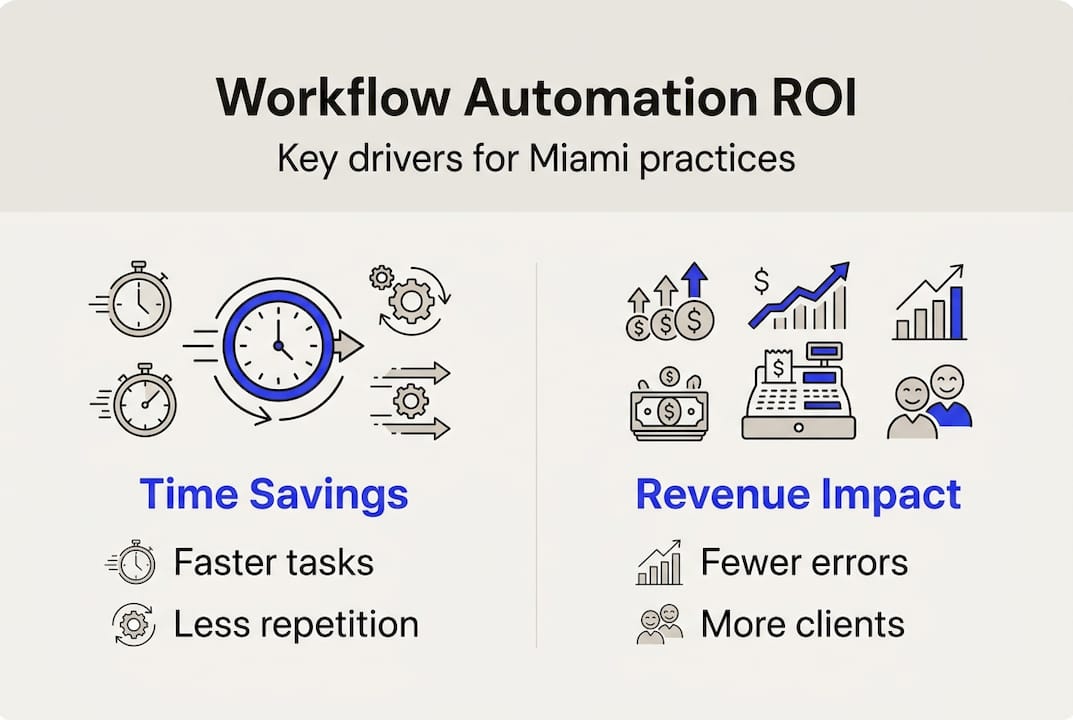
The ROI criteria are straightforward: time saved per week multiplied by your billable rate tells you the minimum value of automating any given task. Add error reduction and scalability, and the case becomes even stronger.
Preparing your practice for workflow automation
Once you have identified processes to automate, it is essential to get your house in order before any software goes live. Rushed implementations fail. Thoughtful preparation succeeds.

Start by setting SMART goals. “We want to reduce client onboarding time by 40% within 90 days” is actionable. “We want to be more efficient” is not. Specific, measurable targets keep your team aligned and give you a benchmark to evaluate results.
Next, evaluate tools against three non-negotiable criteria:
- Integration compatibility with your existing EHR, practice management, or accounting software
- Compliance readiness for HIPAA, SOC 2, or Florida-specific regulatory requirements
- Scalability so the tool grows with your practice rather than becoming a bottleneck
The workflow automation market is projected to grow to $40.77 billion by 2031 at a 9.41% CAGR, with finance holding a 23.62% share and healthcare being the fastest-growing segment at 11.22% CAGR. That growth reflects real adoption, not hype. Miami practices that move now gain a competitive edge over those still deliberating in two years.
Here is a snapshot of common automation tools and their strengths:
| Tool | Best for | Key feature |
|---|---|---|
| Zapier | Cross-app workflows | No-code automation |
| Kareo | Medical billing | RCM integration |
| Clio | Legal practice management | Client intake automation |
| QuickBooks + Zapier | Accounting | Invoice and reconciliation automation |
For a full breakdown of the business automation steps that work specifically for Miami firms, and a curated automation software guide for professional services, those resources will save you significant research time.
Define roles clearly before launch. Who owns the automation project? Who approves changes? Who trains staff? Ambiguity here is where most implementations stall.
Pro Tip: Select tools that already integrate with your core software stack. A standalone tool that requires manual data exports defeats the purpose of automating in the first place.
Step-by-step: Implementing business workflow automation
Once everything is lined up, it is time to get hands-on with automation. Follow this sequence to avoid the most common pitfalls.
-
Map the current process in detail. Document every step, every decision point, and every person involved. For a medical practice, this might mean mapping exactly how a new patient moves from scheduling to insurance verification to intake forms.
-
Select your automation software. Based on your tool evaluation from the preparation phase, choose the platform that best fits your highest-priority workflow. Do not try to automate everything at once.
-
Build and test the automated workflow. Configure the tool, then run it in parallel with your existing process for two to four weeks. Compare outputs. Identify gaps.
-
Train your team before go-live. Poor user training is the single most common reason automation projects fail. Staff who do not understand the new process will work around it.
-
Launch and monitor closely. Go live with a small team first. Collect feedback in real time. Fix issues before a full rollout.
For legal practices, automating client intake means a new client fills out a form online, triggering automatic conflict-of-interest checks, engagement letter generation, and calendar scheduling without a single staff member manually touching the file. For accountants, automated deadline alerts and document request workflows eliminate the frantic tax-season scramble.
The AI-powered denials management approach used in healthcare RCM is a strong model for any profession: use predictive logic to catch problems before they become revenue losses.
For real-world context, review automation case examples from Miami firms, and see how others have used workflow automation to double revenue within their practices.
Pro Tip: Start with a single high-impact workflow. A quick win builds internal confidence, demonstrates ROI fast, and creates momentum for broader adoption across your practice.
Measuring success and scaling your improvements
After launching automation, quantifying its value is what turns a tech investment into real business transformation. Measurement is not optional. It is the mechanism that tells you whether to expand, adjust, or replace a solution.
The metrics that matter most for Miami professional practices are:
- Processing speed: How much faster does the workflow complete compared to the manual baseline?
- Error rate: Has the frequency of billing errors, missed deadlines, or data inconsistencies dropped?
- Cost savings: What is the dollar value of staff hours redirected to higher-value work?
- Monthly revenue growth: Are you capturing more billable time or reducing revenue leakage?
Review your data monthly for the first quarter post-launch. Look for anomalies. If error rates are not dropping, the workflow logic may need refinement. If processing speed improved but revenue did not, check whether the bottleneck simply moved downstream.
The workflow automation industry is on track to reach $40.77 billion by 2031. Miami’s medical, legal, and financial sectors sit at the intersection of the two fastest-adopting segments. Practices that build automation competency now will not just keep pace with competitors, they will set the standard.
Signs your automation is working:
- Staff report fewer repetitive interruptions during client-facing hours
- Client onboarding time has measurably shortened
- Billing cycle time has compressed and collections have improved
- Your team is handling more clients without additional headcount
Scaling best practices include involving department heads in quarterly audits, building a documented automation roadmap for the next 12 months, and treating every new workflow as a candidate for eventual automation. For guidance on sustaining these gains, explore workflow efficiency results from Florida practices and a broader scaling automation success framework built for professionals like you.
What Miami professionals miss about workflow automation
With your systems up and running, it is critical not to fall into the most common trap we see with Miami practices: assuming automation is plug-and-play.
The technology is only as good as the process it replicates. If your current intake process is broken, automating it just breaks it faster. Real success comes from process introspection first, software second. That means asking hard questions about why things are done a certain way before you codify them into a workflow tool.
Miami’s regulatory and client landscape adds another layer. HIPAA updates, Florida Bar rule changes, and shifting IRS guidance mean your automated workflows need regular reviews, not just a one-time setup. Automation without iteration becomes a liability.
The practices we see win consistently are the ones that involve end users from day one. Your billing coordinator knows where the insurance verification process breaks down. Your paralegal knows which intake fields clients always skip. Ignoring that knowledge leads to shelfware, tools that get purchased, configured, and quietly abandoned.
For honest accounts of what this looks like in practice, read real automation efficiency stories from Florida professionals who have been through it.
Pro Tip: Involve end users from the start. Their buy-in is not a nice-to-have. It is the difference between a workflow that runs and one that collects dust.
Ready to optimize your business workflow?
For those ready to accelerate results, expert partners can shorten the automation learning curve significantly. At Transform42, we work exclusively with doctors, lawyers, and accountants in Miami to build revenue-focused automation strategies that fit your practice, your compliance requirements, and your growth goals.

We bring all your technology consulting needs under one roof, from initial workflow audits to full digital transformation support. Whether you are a solo practitioner or a multi-location firm, we help you land bigger clients, scale without proportional hiring, and reclaim your life. Ready to see what is possible? Connect with our team at Transform42 and book a consultation tailored to your practice.
Frequently asked questions
What is business workflow automation?
Business workflow automation uses technology to perform routine tasks and processes with minimal human input, increasing efficiency and reducing costly errors across your practice.
Which processes are best suited for automation in medical, legal, or financial firms?
Tasks like client onboarding, billing, compliance checks, and data entry are strong starting points. For medical practices, RCM automation covers patient registration, insurance verification, coding, and claims submission using AI and RPA.
How can I measure the ROI of workflow automation?
Track time savings, error reduction, increased client capacity, and monthly revenue growth. The workflow automation market reaching $40.77 billion by 2031 reflects the measurable returns driving adoption across finance and healthcare.
Do you need to automate all workflows at once?
No. Most experts recommend starting with one high-impact process, measuring results, and expanding gradually to build confidence and avoid disruption across your practice.



