

Most independent CPAs serving Miami’s real estate market feel the pain of juggling outdated systems that slow everyone down. There is nothing more frustrating than seeing your team waste hours on manual data entry when smarter technology could free up time for high value work. If you want to build a thriving real estate practice, a technology roadmap that aligns with your revenue goals is the key. Here you will find actionable steps to help you break through the inefficiencies and grow monthly revenue.
Table of Contents
- Step 1: Assess Current Technology and Identify Gaps
- Step 2: Define Revenue Goals and Key Success Metrics
- Step 3: Select Relevant Tools and Integration Options
- Step 4: Develop an Actionable Implementation Timeline
- Step 5: Verify Alignment and Monitor Progress
Quick Summary
| Key Point | Explanation |
|---|---|
| 1. Assess Current Technology Thoroughly | Create a complete inventory of all technology tools to identify issues, inefficiencies, and gaps in your current setup. |
| 2. Connect Problems to Revenue Goals | Define specific revenue targets and connect them to technology enhancements, transforming assessments into actionable revenue strategies. |
| 3. Prioritize Integration in Tool Selection | Choose technology solutions that integrate seamlessly with existing tools to eliminate manual data entry and enhance efficiency. |
| 4. Establish a Detailed Implementation Timeline | Develop a clear, phased timeline for tool adoption, assigning responsibilities and defining key milestones to track progress. |
| 5. Monitor and Adjust Post-Implementation | Regularly review metrics and technology adoption rates to ensure alignment with goals and adjust strategies based on feedback. |
Step 1: Assess Current Technology and Identify Gaps
Before you can build a real estate technology roadmap, you need to understand exactly what you have right now and what is broken. This step is about getting honest with yourself. Most Miami CPAs in real estate are running a mix of tools that evolved over years, often without a clear strategy. You might have accounting software from five years ago, a separate tax platform, email for client communication, spreadsheets managing property data, and maybe something for document management. The problem is these tools probably don’t talk to each other. Data gets entered multiple times. Things fall through the cracks. Your team wastes time moving information between systems.
Start by creating a complete inventory of every technology tool your firm currently uses. Write down the purpose of each system, who uses it, what problems it solves, and what frustrations it creates. Include software subscriptions, cloud services, hardware, and even those legacy systems you keep because “nobody wants to convert away from them.” Talk directly with your team members. They will tell you what is slow, what is confusing, and what makes them want to pull their hair out. The real issues often hide in the gaps between systems. Your accounting software doesn’t integrate with your client portal. Your document management system requires manual uploads. Your tax software requires retyping information you already entered in your accounting system. These inefficiencies cost you thousands per month in wasted labor.
Next, compare your current technology setup against what you actually need. Technology readiness assessments help identify gaps between where you are and where you should be. Ask yourself hard questions. Can your team access client documents from anywhere, or are they tied to the office? Can you generate real estate tax reports in minutes or does it take days of manual work? Can you provide clients with portal access to their documents or do you email PDFs back and forth? Can you identify opportunities to upsell services, or is that hidden in spreadsheets? These gaps represent revenue you are leaving on the table and hours your team could spend on higher value work instead of data entry.
Documentation matters more than you think. Create a simple spreadsheet showing each tool, its annual cost, who uses it, and the main problem it creates. This becomes your baseline. Without knowing where you stand now, you cannot measure progress or make smart upgrade decisions later. You will likely discover duplicate functionality, tools nobody uses anymore, and gaps where you need solutions. Some of these insights will scare you. You might realize you are paying for three different systems that do almost the same thing, or that critical information lives only in one person’s computer.
Here is a summary of common technology gaps and their business impact for real estate CPA firms:
| Technology Gap | Typical Cause | Business Impact |
|---|---|---|
| No integration between tools | Legacy or siloed software | Increased manual work, lost efficiency |
| Outdated document management | Manual processes | Risk of errors, compliance issues |
| Redundant/unused systems | Poor tech oversight | Unnecessary costs, confusion |
| Data hidden in spreadsheets | Lack of proper analytics | Missed revenue opportunities |
Tip for professionals Schedule a one hour meeting with your team to ask what frustrates them most about current technology, then track those pain points in your inventory. Your team knows the real problems, and their input will guide which upgrades matter most.
Step 2: Define Revenue Goals and Key Success Metrics
Now that you know what technology you have and what is broken, it is time to connect those problems to actual money. This step transforms your technology assessment into a revenue strategy. Most CPAs think about technology as a cost center. You pay for software, you pay for implementation, and you hope it makes things easier. But that is not how it works. Technology in a real estate accounting practice is a direct lever for revenue growth. Better systems mean you can take on more clients without hiring proportionally more staff. Faster workflows mean your team completes more work in fewer hours. Automation means your people focus on high value services that command premium fees.
Start by asking yourself what revenue target matters most to your firm over the next twelve months. Maybe you want to add two hundred thousand dollars in annual revenue. Maybe you want to grow by fifty percent. Whatever the number, write it down. Now work backwards. How many new clients do you need to hit that target? How much time will you save if you eliminate manual data entry between your accounting software and tax platform? That saved time becomes billable capacity. If your team spends ten hours per week retyping information, and you bill at one hundred seventy five dollars per hour, that is roughly ninety thousand dollars per year in recovered capacity. That is revenue sitting on the table right now.
Next, define specific metrics that matter to your business. Revenue per employee tells you if you are getting more productive or just working harder. Client acquisition cost shows whether your technology investments help you land bigger clients or better prospects. Average engagement size reveals if you are attracting high value real estate transactions or small residential deals. Project completion time measures whether automation is actually saving hours. An IT strategy aligned with business goals ensures your technology investments directly support these metrics instead of becoming expensive distractions. Track where you stand today. If your average real estate client generates twelve thousand dollars annually and you want clients generating thirty thousand dollars, your technology needs to support sophisticated analysis and reporting that justifies higher fees. Your current tools might not do that. That is a gap that directly impacts revenue.
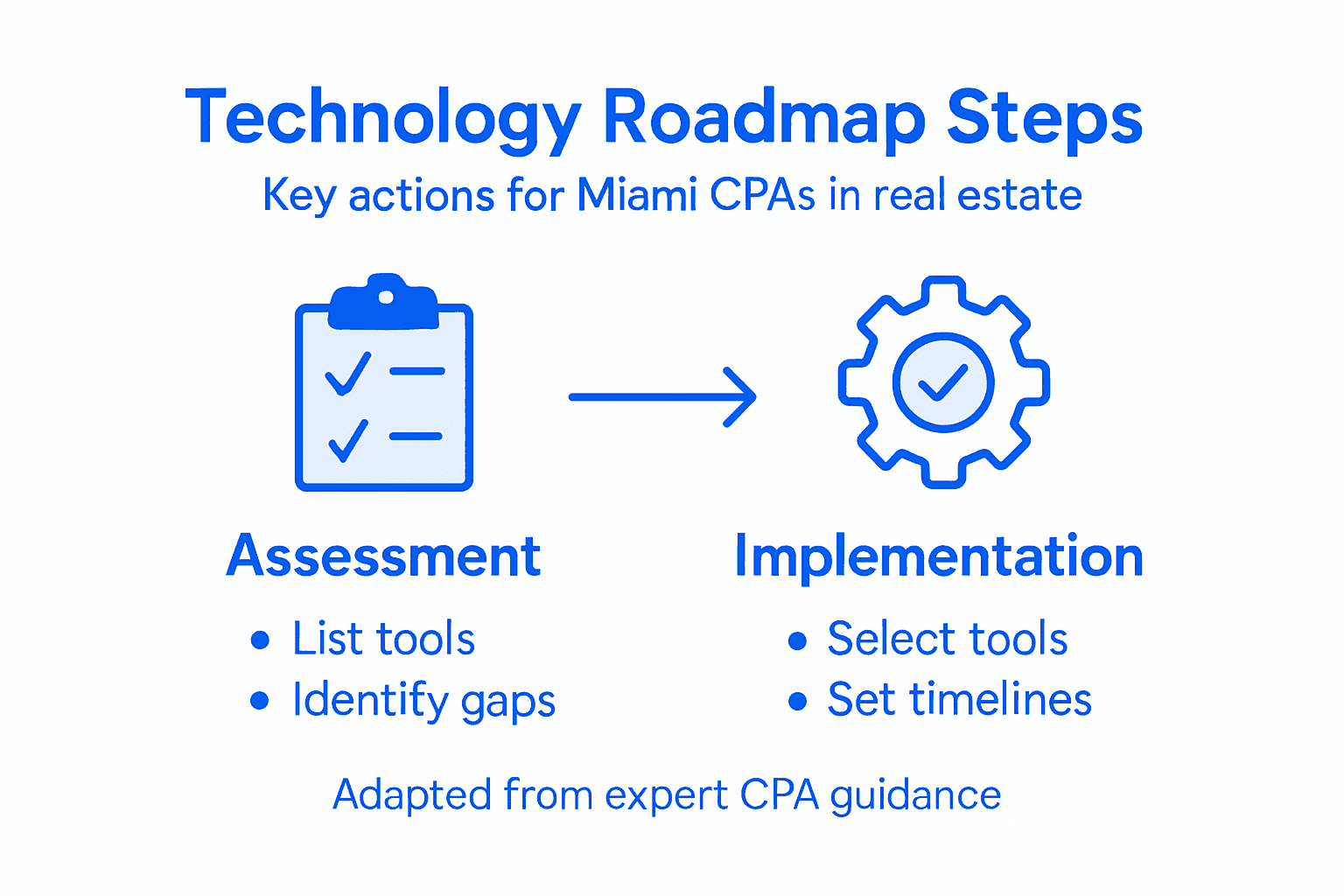
Think about the relationship between technology capability and client value. Clients expect online portals for document access. They expect real time reporting on their properties. They expect fast turnarounds on analysis. Your competitors who have invested in modern technology already offer these things. Clients who get a better experience with your rival are clients you lose. Every month you delay modernizing technology is a month your team spends on manual work instead of strategic consulting that drives revenue. Your technology roadmap should explicitly tie each tool upgrade to one or more revenue metrics. If you are implementing a new client portal, the success metric is adoption rate and reduction in support emails. If you are automating tax compliance, the success metric is hours saved times your billable rate.
The table below highlights sample technology metrics and how they reflect revenue growth:
| Metric | What It Measures | Revenue Connection |
|---|---|---|
| Revenue per employee | Team productivity | Higher productivity, more profit |
| Client acquisition cost | Efficiency of prospecting | Lower cost, higher margins |
| Average engagement size | Value of client work | Larger deals, higher total fees |
| Project completion time | Speed of service delivery | Faster turnaround, more clients |
Tip for professionals Set a baseline for each key metric right now, even if the numbers are rough, then revisit them quarterly to measure progress from your technology improvements. This keeps everyone focused on revenue impact, not just new shiny tools.
Step 3: Select Relevant Tools and Integration Options
This is where most CPAs make expensive mistakes. You walk into a software demo, the vendor shows you shiny features, and suddenly you are signing a contract for a tool that does not actually fit your workflow. Selecting the right tools is not about finding the fanciest software. It is about finding solutions that work together seamlessly and directly support the revenue goals you just defined. A tool that sounds amazing but does not integrate with your accounting platform becomes an island of data that your team has to manage separately. That defeats the entire purpose.

Start by listing the specific problems you identified in Step One. Your accounting software does not talk to your tax platform. Your client communication lives scattered across email. Your document storage requires manual uploads. Your real estate analysis happens in spreadsheets. Now research tools that solve these problems with one critical requirement: integration capability. Cloud based platforms designed to work together are non negotiable. Your new accounting solution should connect natively to your tax software, document management system, and client portal. Your team should be able to pull data from one system and have it automatically flow to another. When you are evaluating tools that automate routine tasks and improve analytics, ask vendors directly about integration. Not vague promises about future integration. Actual, working connections available right now. If a vendor cannot show you those integrations in a live demo, keep looking.
Create a matrix for your evaluation. List each software category you need: accounting, tax preparation, document management, client portal, workflow automation. For each category, list the top three to four options. Then score them on integration capability, cost, ease of use, and support quality. Integration capability matters most. A tool that is ninety percent perfect but does not connect to your other systems costs you more in the long run than a tool that is eighty percent perfect and integrates flawlessly. Do not let anyone convince you that manual data transfer is acceptable. Your team’s time is not free. If you are paying employees to copy information from one system to another, you have already failed at the technology roadmap.
Consider the total cost of ownership, not just the monthly subscription. Some tools are cheap but require expensive implementation. Others have low setup costs but charge per user. Factor in training costs. Factor in the time your staff will spend learning new systems. Budget conservatively. Most firms underestimate implementation costs by forty percent. Also think about scalability. If you plan to grow from ten clients to thirty clients in the next eighteen months, your technology stack needs to handle that growth without falling apart. A tool that works fine for ten clients might require expensive upgrades or workarounds at thirty clients. Buy for where you are going, not just where you are today.
One more thing. Do not try to implement everything at once. Pick the highest priority problems first. Maybe that is connecting your accounting and tax software. Maybe it is implementing a client portal. Solve that problem well. Let your team get comfortable. Then move to the next problem. This staged approach prevents implementation failure and gives your team time to actually learn new tools instead of drowning in training.
Tip for professionals Request a thirty day trial of any tool before you buy, and have your team actually use it with real client data to see if integration works as promised. Vendor demonstrations look perfect. Real world use reveals the problems.
Step 4: Develop an Actionable Implementation Timeline
You have assessed your current technology, defined revenue goals, and selected the right tools. Now comes the part that separates successful implementations from disaster. You need a timeline. Not a vague plan that says “we will migrate to new software sometime next quarter.” A real timeline with specific dates, responsible people, and milestones. Without this, your technology roadmap becomes another document that sits on a shelf while your team keeps working the old way.
Start by breaking your implementation into phases. Do not try to launch everything at once. Your team cannot handle new accounting software, a new tax platform, client portal software, and automation tools all in the same month. They will revolt. They will make mistakes. Clients will experience service disruptions. Instead, identify which tool solves the biggest problem first. Maybe it is connecting your accounting and tax software because that eliminates the most time wasted on data entry. Or maybe it is implementing a client portal because that is what your largest clients expect. Whatever you choose, make it phase one and commit to completing it before phase two starts.
For each phase, identify what needs to happen and in what order. Data migration comes first. You cannot use new software without getting your historical data into it, and that takes time. Testing comes next. Someone needs to verify that the new system actually works the way the vendor promised before your entire team starts using it. Training comes after testing. Your team needs time to learn the new software with real data and real workflows. Real work starts last, only after everyone is comfortable. Build in buffer time. Data migrations always take longer than expected. Testing reveals surprises. Training conversations generate questions. Budget at least thirty percent more time than the vendor estimates. A three month implementation usually takes four months in the real world.
Assign one person as the implementation leader. This is not the busiest person on your team. This is someone who can dedicate meaningful time to managing the project. Their job is to track progress, identify obstacles, communicate with vendors, and keep everyone aligned. Without a dedicated leader, implementation becomes everyone’s low priority and nothing gets done. Establish weekly check in meetings. Spend thirty minutes reviewing what happened last week, what is happening this week, and what obstacles exist. These meetings prevent surprises at the end.
Document your timeline in a simple spreadsheet or project tool. Include the date each phase starts, key milestones, responsible people, and expected completion date. Share this timeline with your team so everyone knows what is coming. Uncertainty creates anxiety. When people know exactly when the new system launches and what training they will receive, they worry less.
Consider also how investment in technology transformation requires strategic thinking about phasing and resource allocation. Your timeline should reflect not just when tools launch, but how you allocate team capacity and budget across the entire roadmap. A realistic timeline that accounts for actual business demands is far better than an aggressive timeline that fails.
Tip for professionals Schedule your implementation phases around your busiest seasons in real estate accounting, typically avoiding tax season and quarter end close periods when your team has zero capacity for learning new systems.
Step 5: Verify Alignment and Monitor Progress
Your new tools are live. Your team is using them. But this is not the end of the roadmap. This is where most firms make a critical mistake. They implement the technology, congratulate themselves, and then ignore it for months. Six months later, nobody is using the new system the way it was supposed to be used. Data quality suffers. The promised efficiency gains never materialize. The revenue impact disappears. Preventing this requires ongoing verification that everything stays aligned with your original goals and active monitoring of what is actually happening.
Start by establishing baseline metrics before you launch new technology. How many hours does your team spend on data entry right now? How long does it take to close a client engagement? What is your average revenue per client? How satisfied are your clients with turnaround time? Document these numbers. They become your before snapshot. Three months after implementation, measure the same metrics again. Did your team actually save the ten hours per week you expected? Did client engagement closure time drop? Did you land higher value clients because you can now offer better analysis? These numbers tell you whether the technology investment is working. If the metrics are moving in the right direction, you have proof. If they are not, you have a problem to solve.
Track technology adoption rates and productivity improvements across your entire team. Some people embrace new tools immediately. Others resist. You need visibility into who is actually using the new system and how. Most software platforms provide usage analytics. Look at them. If certain features are not being used, your team might not understand them or they might not work as expected. If adoption is low across the board, you have a training problem. Address these issues quickly. Do not let bad habits calcify. If your team continues using spreadsheets when the new system is supposed to handle that work, the old problem just continues in parallel.
Schedule monthly reviews with your leadership team to discuss progress. Bring the metrics. Bring the adoption data. Talk honestly about what is working and what is not. Maybe the tool selection was perfect but the training was inadequate. Maybe the integration with your tax software is not as seamless as promised. Maybe your team discovered that a feature you did not plan to use actually solves a critical problem. Use these conversations to adjust. Technology roadmaps are not fixed. As you learn more and as your business changes, the roadmap should change too. Staying flexible while maintaining focus on your revenue goals is the balance that creates real results.
Build in quarterly check points. Every three months, review whether you are on track to hit the revenue goals you defined in Step Two. Are you closing engagements faster? Are you taking on more complex real estate work because your tools now support it? Are clients happier? Are you charging higher fees because you can provide better service? Track these outcomes. Share them with your team. When people see that the technology investments are actually generating revenue growth and making their work easier, they stay motivated to continue improving processes.
Tip for professionals Create a simple one page dashboard showing your three most important metrics from Step Two, updated monthly, and review it together in your team meetings so everyone sees the real impact of technology improvements on firm performance.
Build a Strategic Technology Roadmap That Grows Your Real Estate CPA Practice
Are you struggling to connect outdated systems and missing out on revenue because of inefficient workflows in your Miami CPA firm? The article highlights common pain points like lack of integration, redundant software, and manual data entry that waste time and stall growth. If you want to land bigger clients, scale without adding staff proportionally, and deliver faster, higher-value services, creating a clear technology roadmap is essential.
At Transform42, we specialize in helping accountants like you build actionable technology strategies that align with your revenue goals. From assessing your current tools to selecting integrated solutions and implementing them with minimal disruption, our expert team guides you every step of the way. Discover proven approaches in our Digital-transformation Archives and explore leadership insights tailored for accounting firms in our Leadership Archives.

Take control of your technology and turn it into a powerful growth engine. Visit Transform42 today to schedule a personalized consultation and start reclaiming your time while growing your real estate CPA practice with confidence.
Frequently Asked Questions
How do I assess my current technology before creating a roadmap?
Begin by compiling an inventory of all technology tools your firm uses, including their purposes and the issues they create. Engage your team to pinpoint specific frustrations and inefficiencies that affect productivity, as these insights will guide your roadmap development.
What revenue goals should I set when developing my technology roadmap?
Identify clear and measurable revenue targets for the next year, such as increasing annual revenue by a specific amount or percentage. Work backward from your goals to determine how many new clients or efficiencies you need to achieve those targets.
How important is integration when selecting tools for my technology roadmap?
Integration is crucial because disconnected tools lead to increased manual work and inefficiencies. Prioritize tools that work seamlessly with your existing systems to maximize productivity and minimize data entry errors.
What phases should I include in my implementation timeline?
Create a phased implementation plan that focuses on one major tool at a time, starting with the solution that addresses your most significant pain points. Establish clear milestones and deadlines for data migration, testing, and training to keep the project on track.
How can I monitor progress after implementing new technology?
Regularly track key performance metrics such as hours spent on data entry and client engagement closure times to evaluate your technology’s impact. Conduct monthly reviews to discuss these numbers with your team and make necessary adjustments to stay aligned with your revenue goals.
What role does team training play in technology implementation?
Training is essential to ensure that your team adopts new tools effectively and utilizes them to their full potential. Schedule dedicated time for hands-on training right after the implementation phase to minimize resistance and boost overall productivity.



