Nearly half of American independent CPAs say they spend most of their week on repetitive manual tasks that drain time and energy. For Miami practitioners running solo practices, this constant grind limits scalable growth and slows client service response. By exploring proven workflow automation strategies, you can identify bottlenecks, eliminate errors, and build a practice that runs smarter. Discover how digital tools transform daily accounting routines while helping you create more time for high-value client conversations.
Table of Contents
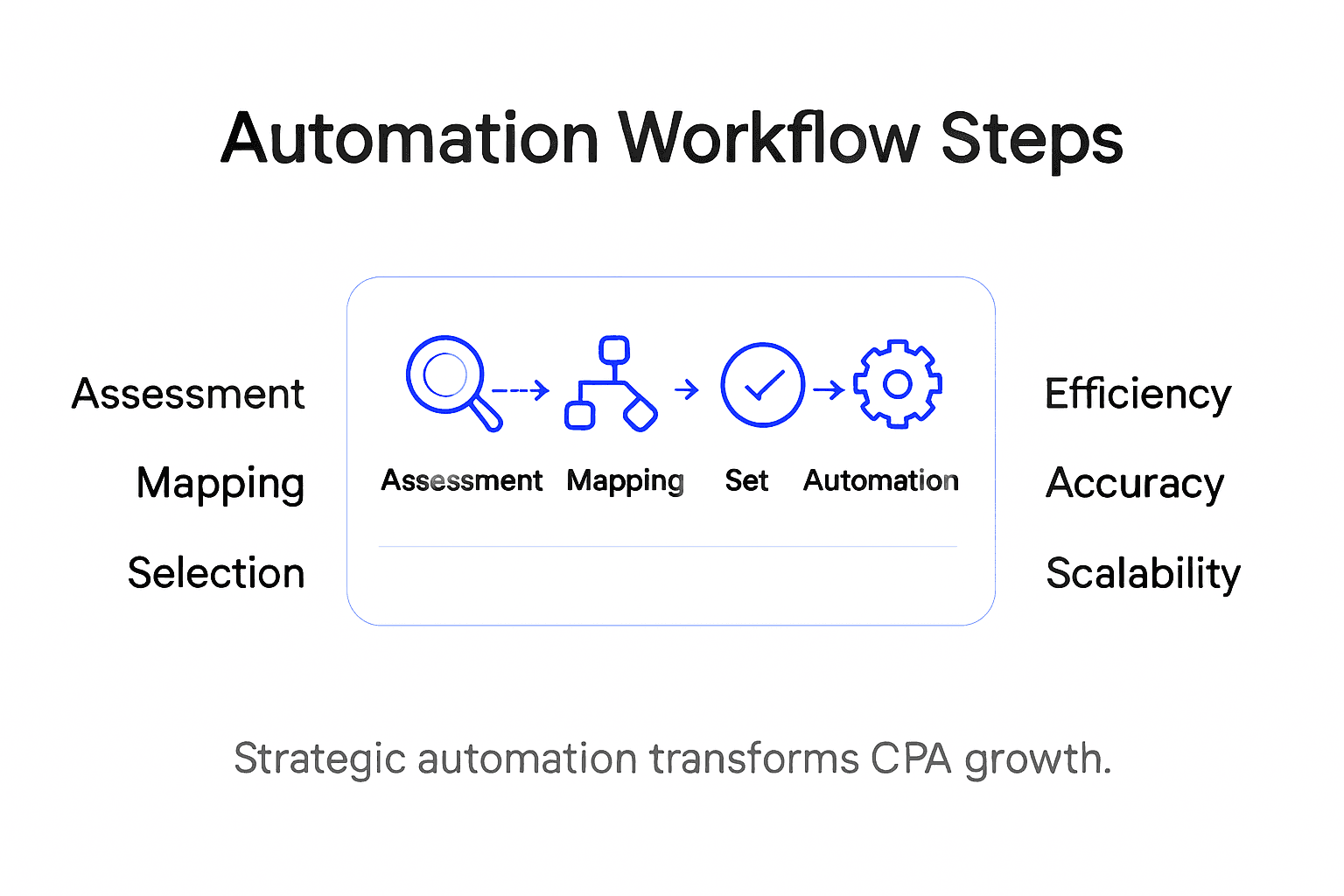
- Step 1: Assess Current Tasks For Automation Potential
- Step 2: Map Out And Prioritize Workflow Processes
- Step 3: Select And Integrate Suitable Automation Tools
- Step 4: Configure Workflow Automation Rules
- Step 5: Test And Validate Automated Processes
- Step 6: Monitor Performance And Optimize Continuously
Quick Summary
| Key Insight | Explanation |
|---|---|
| 1. Identify Automation Candidates | Map daily tasks to find repetitive activities suitable for automation, focusing on data entry and compliance checks. |
| 2. Prioritize Workflows Strategically | Evaluate tasks based on time consumption, error frequency, and complexity to determine which to automate first. |
| 3. Select Effective Automation Tools | Choose automation tools based on integration, user-friendliness, and scalability that enhance your accounting processes. |
| 4. Configure Automation Rules Thoughtfully | Define clear automation rules for workflows to ensure efficient execution without manual intervention. |
| 5. Continuously Monitor and Optimize | Establish metrics to track automation performance, allowing for ongoing adjustments and improvements in efficiency. |
Step 1: Assess Current Tasks for Automation Potential
Successful process automation starts with a strategic evaluation of your current workflow. Your goal is to identify repetitive, time-consuming tasks that can be streamlined using technology.
Begin by mapping out every task your accounting practice performs daily. Focus on activities that involve data entry, calculations, and repetitive administrative work. Robotic Process Automation (RPA) enables intelligent workflow design by targeting processes that drain your productivity. Common automation candidates include invoice processing, financial report generation, compliance checks, and client data management.
Prioritize tasks based on three key criteria: time consumption, error frequency, and manual complexity. Look for activities that require consistent, rule-based actions. Spreadsheet reconciliation, tax preparation documentation, and client communication tracking are perfect examples. By systematically leveraging automation to transition from manual tasks, you will free up significant time for strategic planning and client relationship building.
Here is a summary of common accounting tasks and their automation potential:
| Task Type | Typical Manual Effort | Automation Opportunity | Strategic Impact |
|---|---|---|---|
| Invoice Processing | High repetitive workload | Automated data capture and routing | Reduced errors and productivity boost |
| Spreadsheet Reconciliation | Frequent manual checks | Automated matching and flagging | Faster close cycles |
| Tax Documentation | Time-consuming compliance | Auto-population and e-filing | Greater accuracy and compliance |
| Client Data Management | Ongoing updates | Auto syncing across platforms | Improved client service |
Pro Tip: Create a detailed task log for one full week to capture every administrative action and identify precise automation opportunities.
Step 2: Map Out and Prioritize Workflow Processes
After identifying potential automation tasks, you need a systematic approach to document and prioritize your accounting firm’s workflows. This step transforms your initial task list into a strategic roadmap for process improvement.

Business Process Modeling (BPM) provides a structured method for representing your workflows graphically, enabling you to analyze and optimize each process systematically. Start by creating a visual workflow diagram that captures every step in key administrative tasks. Break down complex processes into individual actions like client onboarding, document collection, tax preparation, and financial reporting. Highlight repetitive steps that consume significant time and are most suitable for automation.
Prioritize your workflows by evaluating three critical factors: time investment, potential for error reduction, and strategic impact. Rank processes based on how much time they currently consume, their complexity, and their importance to your overall business operations. Focus first on workflows that are highly manual, frequently repeated, and prone to human error. Tasks like data entry, transaction categorization, and compliance documentation are typically top candidates for streamlining through intelligent automation.
Pro Tip: Color code your workflow diagrams to visually distinguish between processes ready for immediate automation and those requiring further analysis.
Step 3: Select and Integrate Suitable Automation Tools
With your workflow mapped out, the next critical phase is selecting and integrating automation tools that align perfectly with your accounting practice’s unique needs. This step transforms your strategic plan into actionable technology solutions.
Modern digital accounting solutions offer powerful capabilities for automating data entry, calculations, and information sharing, but choosing the right tools requires careful consideration. Evaluate potential automation platforms based on key criteria: integration capabilities, user friendliness, scalability, and specific accounting task support. Look for tools that can seamlessly connect with your existing software ecosystem, handle complex accounting workflows, and provide intuitive interfaces that minimize training time.
Integrating Robotic Process Automation (RPA) with Artificial Intelligence (AI) capabilities can significantly enhance your operational efficiency, enabling more sophisticated automation strategies. Prioritize solutions that offer intelligent features like automatic data extraction, predictive analytics, and adaptive learning. Consider potential challenges such as initial implementation costs, system compatibility, and data security requirements. Your goal is to select tools that not only automate repetitive tasks but also provide strategic insights to drive your accounting firm’s growth and productivity.
Here’s a comparison of key criteria for choosing automation tools for accounting workflows:
| Criteria | Why It Matters | Example Consideration | Business Benefit |
|---|---|---|---|
| Integration Capability | Ensures software compatibility | Connects with QuickBooks | Streamlined data exchange |
| User Friendliness | Eases team adoption | Intuitive dashboard | Faster onboarding |
| Scalability | Supports firm’s growth | Handles increasing transactions | Long-term efficiency |
| Security Features | Protects financial data | Data encryption and audit trails | Regulatory compliance |
Pro Tip: Request detailed demos and free trials from potential automation tool providers to thoroughly assess their real world performance in your specific accounting workflow.
Step 4: Configure Workflow Automation Rules
Configuring automation rules transforms your mapped workflows into intelligent, self executing processes that can dramatically improve your accounting practice’s efficiency. This critical step determines how your automation tools will interact with your existing systems and handle various accounting tasks.
Workflow configuration involves defining precise rules and steps that enable software robots to execute complex business tasks, ensuring accurate and consistent performance. Start by identifying specific decision points in your workflows where automated rules can replace manual interventions. For instance, create rules that automatically categorize financial transactions, flag potential compliance issues, or route client documents through predefined approval processes. Focus on establishing clear criteria for data processing, error handling, and verification checkpoints.
Visual workflow design interfaces now allow you to build custom business logic using intuitive drag and drop elements, eliminating the need for complex programming. Design your automation rules to handle different scenarios, such as managing exceptions, triggering notifications, and ensuring data consistency across multiple accounting systems. Pay special attention to creating flexible rules that can adapt to changing regulatory requirements and your firm’s evolving business processes.
Pro Tip: Test your automation rules extensively in a controlled environment before full deployment to identify and resolve potential workflow inconsistencies.
Step 5: Test and Validate Automated Processes
Testing and validation are the crucial final stages that ensure your newly automated accounting workflows perform exactly as intended. This step transforms your theoretical automation strategy into a reliable, error free operational system.
Comprehensive testing approaches are essential for verifying that automated workflows meet performance and compliance standards, allowing you to detect and resolve potential issues before full implementation. Create a systematic testing strategy that simulates real world scenarios, focusing on key areas like data accuracy, transaction processing speed, error handling, and regulatory compliance. Run multiple simulation scenarios that challenge your automated workflows with complex financial transactions, edge cases, and unexpected data inputs to validate their robustness.
Validation procedures should meticulously assess automated processes against international auditing and accounting standards, ensuring reliability and effectiveness. Develop a comprehensive testing protocol that includes performance benchmarking, error rate analysis, and compliance verification. Pay special attention to how your automated systems handle unstructured data, manage exceptions, and maintain data integrity across different accounting functions. Continuously monitor and refine your automated processes based on testing insights to maximize their operational efficiency.
Pro Tip: Create a dedicated testing environment that mirrors your actual accounting infrastructure to conduct thorough validations without risking live financial data.
Step 6: Monitor Performance and Optimize Continuously
Continuous monitoring transforms your automation strategy from a one-time implementation to a dynamic, evolving system that consistently delivers maximum efficiency. This final stage ensures your accounting workflows remain agile and responsive to changing business requirements.
Performance metrics and process analytics are critical tools for identifying workflow bottlenecks and opportunities for optimization, enabling your accounting practice to maintain peak operational efficiency. Establish a comprehensive monitoring framework that tracks key performance indicators such as processing time, error rates, compliance adherence, and resource utilization. Regularly review these metrics to detect subtle inefficiencies and proactively address potential performance degradation before it impacts your firm’s productivity.
Enterprise monitoring solutions provide real-time insights that support data-driven decision making for process improvement, allowing you to continuously refine your automated workflows. Implement a systematic approach to performance analysis that includes periodic comprehensive reviews, granular process tracking, and adaptive optimization strategies. Pay special attention to emerging patterns, recurring exceptions, and opportunities to streamline complex workflow interactions. Your goal is to create a self-improving automation ecosystem that becomes more intelligent and efficient with each iteration.
Pro Tip: Schedule monthly performance review sessions that bring together your technical and accounting teams to collaboratively analyze automation metrics and brainstorm improvement strategies.
Unlock Scalable Growth with Strategic Process Automation
Is your accounting firm ready to move beyond manual tasks and embrace intelligent automation that drives efficiency and growth? This article highlights the challenges CPAs face when managing repetitive workflows and the critical importance of mapping, selecting, and testing automation tools designed specifically for accounting processes. Key pain points include time-consuming data entry, error-prone reconciliations, and the need for compliance without added headcount.
At Transform42, we specialize in helping accounting professionals build the capabilities and compliance clients expect while scaling revenue without proportional hiring. By leveraging insights from our Processes Archives and embracing Digital Transformation, we empower your firm to land bigger clients and reclaim your life through smart technology implementation.

Take control of your firm’s future today. Visit Transform42 to discover how strategic automation can unlock an additional 7-8 figures in monthly revenue and give you the competitive edge your accounting practice needs. The time to automate, optimize, and grow is now.
Frequently Asked Questions
How can I assess which tasks in my CPA firm are suitable for automation?
To assess tasks for automation, map out all daily activities and focus on repetitive and time-consuming tasks, such as data entry and invoicing. Aim to create a detailed task log for at least one week to pinpoint specific areas where automation can free up your time.
What criteria should I use to prioritize workflows for automation in my accounting practice?
Prioritize workflows based on time consumption, error frequency, and manual complexity. Focus on tasks that are highly manual and prone to errors, allowing you to streamline processes and enhance overall productivity.
Which types of automation tools should I consider for my accounting workflows?
Look for automation tools that offer integration capabilities, user friendliness, scalability, and strong security features. Evaluate how these tools can connect with your existing systems and support your specific accounting tasks to maximize efficiency.
How can I effectively configure automation rules for my CPA firm’s workflows?
Effective configuration involves defining clear rules for automating processes, such as categorizing transactions or routing documents. Start by identifying decision points in your workflows and create rules that can adapt to your changing business needs.
What steps should I take to test and validate my automated workflows?
Develop a comprehensive testing strategy that simulates real-world scenarios to check accuracy, speed, and compliance of your automated workflows. Conduct multiple tests to identify any potential issues before full implementation to ensure reliability and effectiveness in your processes.
How can I continuously monitor and optimize my automated processes?
Establish a monitoring framework to track key performance indicators such as processing time and error rates. Schedule monthly review sessions to analyze automation metrics and identify areas for improvement, aiming for a proactive approach to enhance efficiency.
Recommended
- Business Process Automation Guide for Miami CPAs – Stratgetic IT Consultants for Accountants
- Business Process Automation Guide for Miami CPAs
- What Is Business Process Automation? Understanding Its Importance – Stratgetic IT Consultants For Accountants
- What is Business Process Automation? Understanding Its Importance