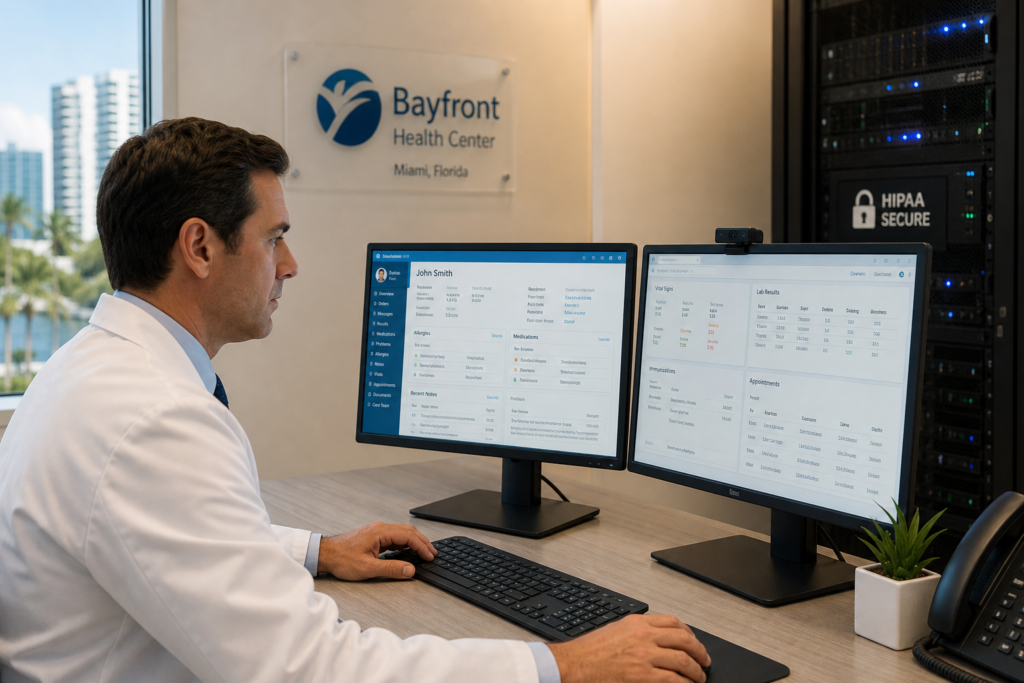
Migrating to a new electronic health records system is one of the most operationally complex IT projects a Miami medical practice will ever face. When the migration goes wrong — corrupted patient records, billing system failures, days of EHR downtime — the consequences extend beyond lost revenue to HIPAA violations, patient safety risks, and staff turnover. The right managed IT partner does not just plug in the server; they architect the entire transition so your clinical team can keep seeing patients without interruption.
Why EHR Migrations Fail — and What That Costs Miami Practices
A failed EHR migration in a 10-physician practice running at $450 per patient visit, seeing 80 patients per day, costs roughly $36,000 in lost revenue for every day the system is down. That number does not include staff overtime, HIPAA investigation fees, or the hidden cost of patients who simply don’t come back after a scheduling or billing failure.
According to the HHS Office for Civil Rights, failure to maintain the availability of electronic protected health information (ePHI) during system transitions is one of the most cited HIPAA Security Rule violations. The Security Rule does not care that you were mid-migration — if patient data was inaccessible or exposed, the breach notification clock starts ticking.
Common causes of EHR migration failures:
- No certified data backup before cutover
- Legacy system APIs not tested against the new EHR
- Staff undertrained on the new workflow before go-live
- Network infrastructure too slow for the new system’s bandwidth requirements
- No Business Associate Agreement (BAA) signed with the new EHR vendor or cloud host
- Inadequate parallel-run period — old and new systems running simultaneously to catch errors
The Four Major EHR Platforms: What Miami Practices Need to Know
Not all EHR systems are equal, and your IT provider must understand the infrastructure requirements of each before they can support the migration. Here is a breakdown of the four platforms most common among South Florida medical practices.
| EHR Platform | Best For | Deployment Model | IT Infrastructure Needs |
|---|---|---|---|
| Epic | Hospital systems, large multispecialty groups | Cloud (Epic Hyperspace) or on-prem | Minimum 1 Gbps fiber, dedicated Epic server environment, Citrix or VDI for remote access |
| athenahealth | Independent practices, primary care, billing-heavy environments | Cloud-only (SaaS) | Reliable 100+ Mbps internet, no local server required, HIPAA-compliant DNS filtering |
| eClinicalWorks | Multi-location practices, value-based care models | Cloud or on-prem | Local SQL server for on-prem; SaaS version needs hardened endpoint security |
| DrChrono | Small practices, mobile-first workflows | Cloud-only (iOS native) | iPad fleet management (MDM), enterprise Wi-Fi with WPA3, encrypted device storage |
An MSP that has never deployed athenahealth in a live practice environment will not know that their revenue cycle module requires specific firewall rules for outbound API calls to their clearing house partners. That kind of detail costs you billing delays measured in weeks.
What HIPAA Actually Requires During an EHR Migration
HIPAA’s Security Rule (45 CFR §164.312) mandates specific technical safeguards that apply directly to EHR migrations. Your IT provider is responsible for executing most of them.
Access Controls and Audit Logging
During migration, patient data often exists in two systems simultaneously. Both systems must maintain role-based access controls — no temporary admin accounts that outlast the migration, no shared credentials for the IT team to “just get things done faster.” Every access event must be logged and those logs must be retained for six years.
Data Encryption in Transit and at Rest
ePHI moving between your legacy EHR and the new system must be encrypted using at minimum AES-256 at rest and TLS 1.2 or higher in transit. This applies whether the migration is happening over your local network or through a cloud-to-cloud API transfer. An MSP that proposes running a flat-file export of patient records over unencrypted FTP is a compliance liability.
Business Associate Agreements
Every vendor that touches ePHI during the migration — the EHR company, your MSP, your cloud host, your data conversion vendor — must have a signed BAA on file before the migration begins. The HHS HIPAA guidance is clear: a BAA is not optional. T42 provides BAA documentation as a standard part of our healthcare IT engagements.
Contingency Plan and Backup Verification
HIPAA requires a documented contingency plan for system outages, and migrations are the highest-risk outage scenario. Before cutover, your MSP must verify:
- Full verified backup of all patient data from the legacy system
- Tested restore capability — not just “backup exists,” but “we restored it and confirmed the data”
- Rollback plan with a defined decision point (e.g., “if EHR is not functional by 8 AM go-live + 4 hours, we roll back”)
- Paper downtime procedures distributed to all clinical staff before cutover weekend
The IT Infrastructure a Miami Medical Practice Needs Before Going Live on a New EHR
Many practices underestimate how much their existing IT infrastructure affects EHR performance. An EHR system running over a consumer-grade ISP connection with aging network switches will perform poorly regardless of how good the software is. Here is what your IT environment should look like before any major EHR migration.
- Internet redundancy: Primary fiber connection (100+ Mbps symmetrical) plus a 4G/LTE failover. If your primary connection drops during a busy clinic day, appointments keep running.
- Network segmentation: Clinical VLAN (EHR, diagnostic imaging, lab interfaces) separated from guest Wi-Fi and administrative networks. This is a HIPAA best practice and a ransomware containment strategy.
- Endpoint security: CrowdStrike or SentinelOne endpoint detection and response on every workstation and tablet. Healthcare is the #1 target for ransomware — the HHS 405(d) task group documented over 1,400 healthcare ransomware attacks in 2024.
- Backup infrastructure: On-site backup (NAS with daily snapshots) plus immutable cloud backup via Datto or Veeam. Recovery time objective for an active medical practice should be under 4 hours.
- Workstation standards: Modern workstations with SSDs (for EHR loading speed), minimum 16 GB RAM for heavy EHR users, and encrypted storage (BitLocker on Windows, FileVault on Mac).
- Telehealth readiness: HIPAA-compliant video platforms like Doxy.me require reliable upload bandwidth — 5+ Mbps per concurrent session. With 10 providers seeing telehealth patients simultaneously, that is 50 Mbps just for video.
EHR Migration Project Timeline: What to Expect
A well-managed EHR migration for a Miami medical practice with 5-15 providers typically follows this timeline. Rushed timelines are the leading cause of failed go-lives.
- Discovery and infrastructure assessment (weeks 1-2): MSP audits current network, workstations, backups, and existing EHR data structure. Vendor data conversion specialist maps legacy data fields to new EHR schema.
- Infrastructure upgrades (weeks 3-6): Any network, server, or workstation upgrades completed before migration testing begins. BAAs signed with all vendors.
- Data migration testing (weeks 7-10): Test migration run in sandbox environment. Clinical staff validate that historical patient records, medication lists, and billing codes transferred correctly.
- Staff training (weeks 9-12, overlapping): Role-specific training — physicians, MAs, front desk, and billing team all have different EHR workflows. Training while testing catches usability issues before go-live.
- Parallel run period (2-4 weeks before go-live): Both old and new EHR running simultaneously. New EHR handles new appointments; legacy EHR remains read-accessible for existing records. IT monitors performance and catches integration errors.
- Go-live weekend (Friday evening cutover): MSP on-site or on-call 24/7. Final data migration, DNS/API cutover, backup verification. Monday morning: IT staff on-site for the first full clinic day.
- Post-go-live stabilization (weeks 1-4 after cutover): Daily check-ins between MSP and practice manager. Performance tuning, user access reviews, billing reconciliation.
Microsoft 365 and HIPAA-Compliant Cloud for Medical Practices
Most Miami medical practices run their clinical communications and administrative workflows on Microsoft 365. What many don’t realize is that the standard Microsoft 365 Business subscription is not automatically HIPAA-compliant — it requires specific configuration, a signed Microsoft BAA, and ongoing compliance controls.
HIPAA-compliant Microsoft 365 configuration requires:
- Microsoft 365 Business Premium (or higher) — includes Defender for Business, Intune MDM, and Azure AD P1 for conditional access
- Microsoft HIPAA BAA signed and on file (available at no cost in the Microsoft Service Trust Portal)
- Multi-factor authentication enforced for all users — no exceptions, including physicians
- Conditional access policies: block login from non-managed devices or untrusted locations
- Intune enrollment for all workstations and mobile devices that access clinical email
- Data Loss Prevention (DLP) policies to prevent PHI from being emailed to unauthorized recipients
- Microsoft Teams configured for HIPAA-compliant telehealth (with BAA) — not the consumer-grade Teams free tier
T42 configures Microsoft 365 Business Premium as a HIPAA-compliant foundation for Miami medical practices, including full Intune MDM deployment, DLP policy setup, and ongoing compliance monitoring. Learn more at our healthcare IT support page.
How T42 Supports Miami Medical Practices Through EHR Migrations
Transform 42 is a Service-Disabled Veteran-Owned Small Business providing managed IT and AI implementation services exclusively to accounting firms, law firms, and medical practices in Miami-Dade and Broward County. Our healthcare IT practice covers:
- EHR migration project management: We serve as the technical project lead, coordinating with your EHR vendor’s implementation team, your data conversion partner, and your clinical staff
- HIPAA Security Rule compliance: Pre-migration risk assessments, BAA management, audit log configuration, and annual HIPAA security reviews
- Infrastructure upgrades and network design: Network segmentation, firewall configuration with Fortinet, Wi-Fi upgrades, and workstation refresh programs timed to your EHR go-live
- 24/7 managed detection and response: Healthcare-specific threat monitoring powered by CrowdStrike — because ransomware attackers target healthcare on weekends and holidays
- Backup and disaster recovery: Immutable backups with tested recovery procedures, documented for HIPAA contingency plan requirements
Our healthcare clients include primary care practices, specialty groups, and multi-location medical offices across Miami, Coral Gables, Doral, and the Brickell corridor. We understand that your IT provider works inside a clinical environment — we operate quietly, on your schedule, without disrupting patient flow.
If your practice is planning an EHR migration in the next 6-12 months, the best time to engage your IT provider is now — not 30 days before go-live. Schedule a free IT assessment with T42 to review your current infrastructure against your target EHR’s requirements. You can also explore our broader managed IT services for Miami businesses and our IT support options.
Frequently Asked Questions
What does a medical practice IT provider do during an EHR migration?
A medical practice IT provider handles the technical infrastructure for an EHR migration: assessing network readiness, configuring servers or cloud environments to the new EHR’s specs, managing data backups and rollback plans, ensuring HIPAA encryption requirements are met during data transfer, and providing on-site support during the go-live weekend. They also set up audit logging, access controls, and integrate the new EHR with lab interfaces, medical devices, and billing systems.
How long does an EHR migration take for a small medical practice in Miami?
For a small practice with 2-5 providers, a well-managed EHR migration typically takes 8-16 weeks from contract signing to go-live. Larger multi-location practices with 10+ providers should plan 16-24 weeks. Rushed migrations — particularly those compressed under 8 weeks — have a significantly higher failure rate and are the most common source of HIPAA audit findings related to system transitions.
Is athenahealth HIPAA compliant?
Yes, athenahealth is a HIPAA-compliant EHR platform and will sign a Business Associate Agreement as part of the contract process. However, HIPAA compliance is a shared responsibility — athenahealth secures their platform, but your practice is responsible for the security of the devices and networks used to access it. Your MSP must ensure that workstations, mobile devices, and network infrastructure meet HIPAA Security Rule requirements even when using a cloud-based EHR like athenahealth.
What is the biggest IT risk during an EHR migration?
The biggest IT risk is data integrity failure — patient records that do not migrate correctly, medication lists that are truncated, or billing codes that map incorrectly to the new system. This is why a parallel run period and thorough data validation by clinical staff are non-negotiable. The second largest risk is ransomware during the transition window, when IT teams often relax security controls or temporarily elevate access permissions for migration work — threat actors actively monitor healthcare networks for these vulnerabilities.
What Miami medical practices does T42 support?
Transform 42 provides managed IT services for medical practices in Miami-Dade and Broward County, including primary care, internal medicine, orthopedics, dermatology, behavioral health, and multi-specialty groups. Our team has supported EHR migrations involving Epic, athenahealth, eClinicalWorks, and DrChrono deployments across South Florida. Contact us at transform42inc.com/healthcare-it-support to discuss your practice’s IT needs.
Stay Ahead of IT Risks in Your Industry
Weekly insights on cybersecurity, compliance, and IT strategy for accounting firms, law firms, and medical practices.