40% of Small Businesses Never Reopen After a Disaster: The 2024 Hurricane Season IT Checklist for Miami Firms
Miami businesses face a statistical reality: according to FEMA, 40% of small businesses do not reopen after a disaster, and another 25% fail within one year. For accounting firms, law firms, and medical practices in South Florida, hurricane preparedness is not about plywood and sandbags; it is about data immutability, redundant connectivity, and documented recovery procedures. As a Service-Disabled Veteran-Owned Small Business, Transform 42 Inc (T42) approaches disaster recovery with the same precision used in military operations—because in a Category 4 storm, “hope” is not a strategy.
What is the most critical component of a Miami hurricane season IT checklist?
The most critical component of a hurricane season IT checklist is an off-site, immutable cloud backup that is physically located outside the South Florida hurricane zone. While local backups provide speed, they are vulnerable to the same flood and wind events as your primary office, making geographically dispersed redundancy the only way to guarantee business continuity. Your IT services must prioritize data that cannot be deleted or encrypted by ransomware or natural disasters.
1. Cloud-First Backup and Disaster Recovery (BDR)
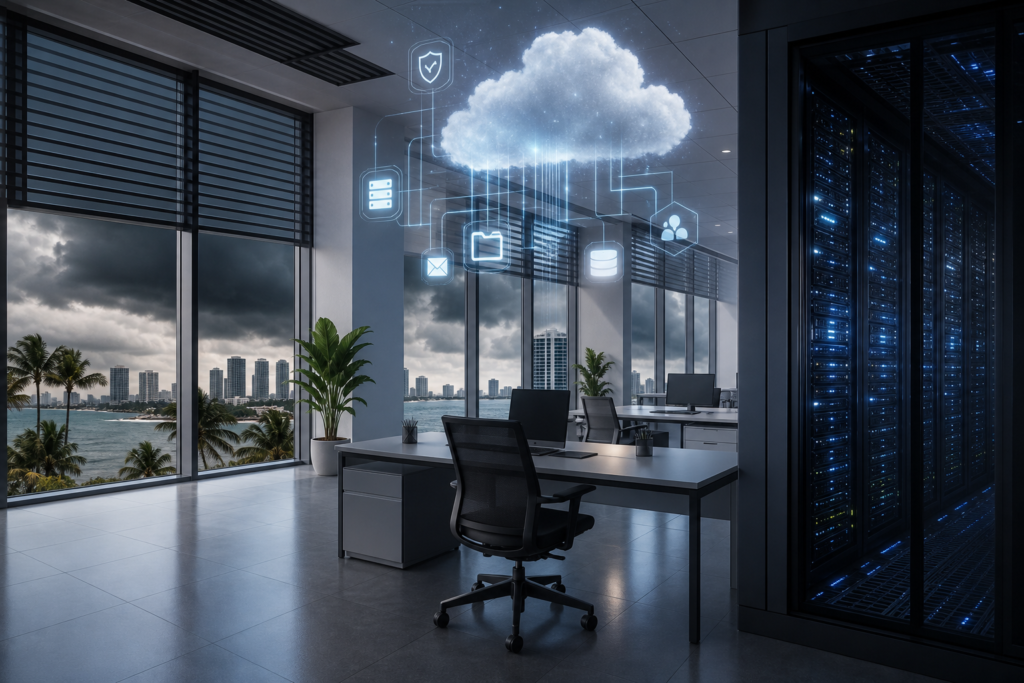
A “cloud-first” strategy means your data exists in a state where it can be virtualized in minutes, not days. For Miami firms, this requires moving beyond simple file syncing to true image-based backups. We recommend solutions like Datto SIRIS, which allows for “Instant Virtualization” both locally and in the cloud. If your server room in Coral Gables is underwater, your staff can work from a virtual instance of that server in a secure data center.
For firms using Veeam, pairing it with Wasabi hot cloud storage provides an affordable, high-performance repository. The key here is “Object Lock” or immutability. This ensures that once data is written, it cannot be altered or deleted for a set period. This protects you from both the storm and the opportunistic cyberattacks that often follow regional disasters.
Compliance Requirements for Data Protection
- Medical Practices: Under HIPAA 45 CFR §164.308(a)(7), you are legally required to have a data backup plan, a disaster recovery plan, and an emergency mode operation plan.
- Accounting Firms: IRS Publication 4557 mandates that tax preparers protect taxpayer data with “adequate backup and recovery” systems.
- Law Firms: Florida Bar rules and FL Statute §501.171 require strict notification and protection protocols for personal information, which are impossible to maintain if your servers are destroyed.
2. Redundant Connectivity: 4G/5G Failover
Internet outages in Miami during hurricane season often last longer than power outages because fiber lines are frequently cut by falling trees or utility work. To maintain operations, your firm needs an automated failover system. We deploy Cradlepoint or Peplink routers that instantly switch your entire office to cellular data the moment your primary ISP goes dark.
This isn’t just about checking email. For medical practices, it means maintaining access to Electronic Health Records (EHR). For law firms, it ensures you don’t miss court-mandated filing deadlines. As industry leader Gary Pica often emphasizes, the value of an MSP is measured in the “quietness” of the environment; a seamless failover keeps your environment quiet even when the weather is loud.
3. The Pre-Storm IT Runbook
A “Runbook” is a step-by-step manual that tells your staff exactly what to do with technology when a hurricane warning is issued. You should not be deciding who takes the backup tapes home (which you shouldn’t be using anyway) while the wind is picking up. Your runbook should include:
- Power Down Sequence: Proper shutdown order for servers, switches, and UPS systems to prevent data corruption.
- Hardware Elevation: Moving all floor-level CPUs and UPS units to desks or higher shelves to avoid minor flood damage.
- Remote Access Verification: Ensuring every employee has tested their VPN or Microsoft Azure Virtual Desktop access from home before the office closes.
- Communication Tree: A non-email-based way to reach staff (like a dedicated SMS group) if your primary domain is impacted.
4. Security During Chaos
Cybercriminals love Florida hurricanes. They know IT staff are distracted and physical security may be compromised. This is why we implement “Zero Trust” architectures using CrowdStrike for endpoint protection and Fortinet for secure perimeter defense. If your team is forced to work from home or a hotel, their connection must be as secure as if they were in the office. As a Service-Disabled Veteran-Owned Small Business, we understand that security is a 24/7/365 commitment, regardless of the weather.
Business Continuity Planning (BCP) Cost Comparison
Many Miami firms hesitate to invest in BCP because they view it as an “extra” cost. However, the cost of downtime for a professional services firm usually exceeds $1,000 per hour per employee. Below is a comparison of typical recovery strategies.
| Feature | Basic Backup (USB/File Sync) | Standard Cloud Backup | T42 Managed BDR (Datto/Veeam) |
|---|---|---|---|
| Recovery Time (RTO) | Days to Weeks | 24-48 Hours | Minutes to Hours |
| Data Loss (RPO) | Last 24 Hours | Last 12-24 Hours | Last 15 Minutes |
| Off-site Redundancy | Manual/None | Yes (Single Site) | Yes (Geo-Redundant) |
| Compliance Ready | No | Partial | Yes (HIPAA/IRS/FL Statute) |
5. Vertical-Specific Preparedness
Every industry has unique pain points during a storm. Accounting firms must worry about IRS deadlines. If a storm hits in September, corporate tax deadlines don’t always move. Having your tax software hosted in AWS or Azure ensures that even if your Miami office is inaccessible, your team can finish returns from anywhere in the country.
For law firms, the concern is often the integrity of the case file. If you are still relying on on-premise file servers, a single roof leak can destroy years of litigation work. Transitioning to a cloud-first document management system is a prerequisite for modern hurricane readiness. As Karl Palachuk notes in his work on managed services, the goal is to move the “office” from a physical location to a functional state that exists wherever the employees are.
Don’t Wait for the Cone of Uncertainty
Hurricane season in Miami is a certainty, not a possibility. Waiting until a storm is named to address your IT vulnerabilities is a recipe for business failure. At Transform 42 Inc, we specialize in hardening the infrastructure of professional service firms so they can withstand the worst South Florida weather. Our status as a Service-Disabled Veteran-Owned Small Business means we bring a level of discipline and accountability to your IT that you won’t find elsewhere.
Is your firm truly ready for a direct hit? Don’t guess—know for sure. Contact us today for a free IT assessment or visit our contact page to speak with our team about securing your practice before the next storm arrives.
Frequently Asked Questions
How often should we test our hurricane disaster recovery plan?
You should perform a full “fire drill” of your disaster recovery plan at least twice a year, ideally in May and August. This test should include virtualizing a server in the cloud and verifying that staff can access critical applications remotely without IT assistance.
Is a generator enough to protect my server room?
No, a generator only provides power; it does not protect against the heat buildup from failed A/C units or the data corruption caused by power surges when the generator kicks on. You still need a robust Uninterruptible Power Supply (UPS) and a plan to shut down equipment if ambient temperatures exceed safe limits.
What is the difference between a backup and business continuity?
A backup is a copy of your data, while business continuity is the ability to continue operating your business after a disaster. If you have a backup but no hardware to restore it to, you have data, but you do not have a functioning business.
Does insurance cover the cost of data recovery?
Most standard business insurance policies have limited coverage for data restoration and almost none for the lost revenue associated with downtime. You typically need a specific Cyber Liability or Business Interruption policy, and even then, insurers require proof that you followed industry-standard backup protocols.
Why should I choose a Service-Disabled Veteran-Owned Small Business for my IT?
Choosing a Service-Disabled Veteran-Owned Small Business like T42 ensures you are working with a team that values mission success, integrity, and rigorous adherence to protocol. We apply military-grade standards to your firm’s data security and disaster preparedness, ensuring nothing is left to chance.
Stay Ahead of IT Risks in Your Industry
Weekly insights on cybersecurity, compliance, and IT strategy for accounting firms, law firms, and medical practices.