

TL;DR:
- Miami accounting firms can save over $1.5 million annually through infrastructure automation and strategic planning.
- Key cost drivers include hardware overprovisioning, redundant software licenses, unchecked cloud expenses, and unoptimized support.
- Implementing automation, outsourcing, and cloud migration shifts focus from cost-cutting to smarter resource management and growth.
Smart IT cost reduction methods for Miami accountants
One accounting firm realized over $1.5 million in annual savings simply by rethinking how its IT infrastructure was managed. Not by slashing headcount or cutting corners on compliance, but by automating the processes that were quietly draining the budget month after month. For independent accountants and financial consultants in Miami, this is not a distant corporate story. It is a blueprint. IT costs are rising, client expectations are growing, and the window to stay competitive without scaling your payroll is narrowing. This guide lays out the specific methods that actually move the needle.
Table of Contents
- Common IT cost drivers in Miami accounting practices
- Frameworks for strategic IT cost optimization
- Leveraging infrastructure automation for maximum savings
- Applying IT outsourcing and resource migration
- The uncomfortable truth most Miami accountants miss about IT cost reduction
- Take the next step in IT savings and profitability
- Frequently asked questions
Key Takeaways
| Point | Details |
|---|---|
| Automation drives savings | Implementing infrastructure automation has proven to cut IT costs by over 60% for accounting firms. |
| Frameworks create clarity | Using structured frameworks helps accountants systematically identify and reduce unnecessary IT expenses. |
| Outsourcing boosts flexibility | Strategic outsourcing and cloud migration enable firms to adapt operations and reduce fixed IT spend. |
| Smart over cheap | Prioritizing scalable IT solutions improves profitability and client service, not just bottom-line cuts. |
Common IT cost drivers in Miami accounting practices
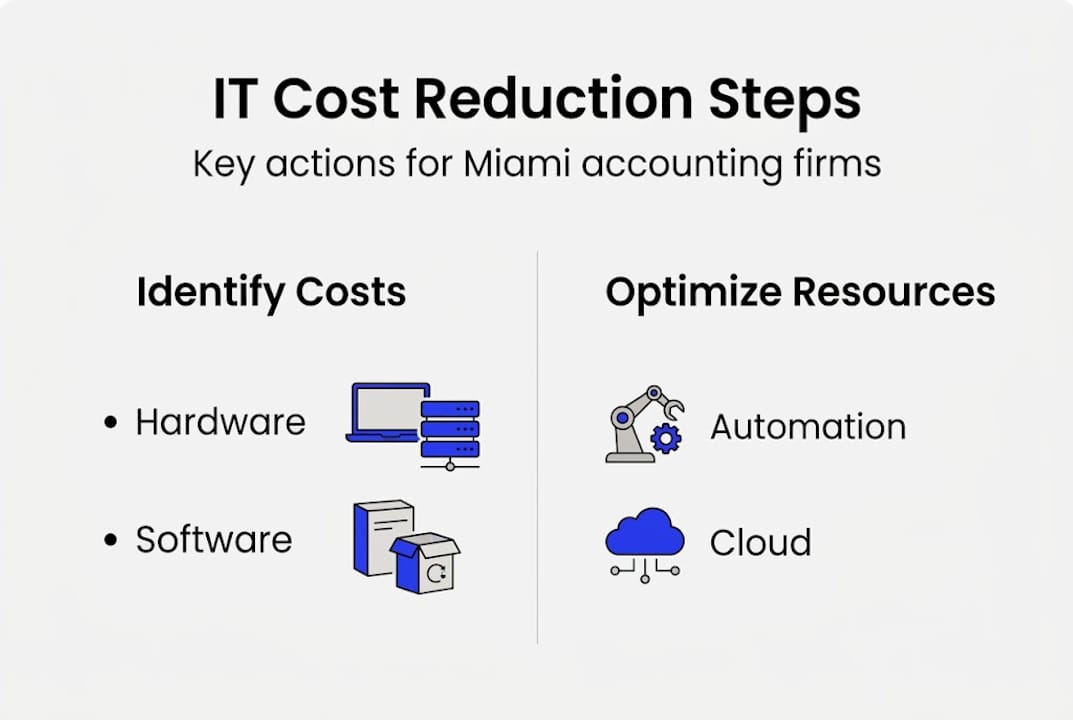
Before you can reduce what you spend on IT, you need to know exactly where that money is going. Most independent accounting firms in Miami carry IT expenses across four broad categories: hardware procurement and maintenance, software licensing, cloud services, and technical support. Each category carries its own waste patterns, and recognizing them is the first step toward meaningful savings.
Hardware tends to be the most visible cost. Servers, workstations, and networking equipment depreciate fast and require ongoing maintenance contracts. Many firms hold onto aging hardware longer than they should, then face emergency replacement costs that blow their annual budgets. Others overbuy capacity upfront to avoid future bottlenecks, paying for processing power and storage they never use.
Software licensing is a subtler drain. Firms often maintain subscriptions to platforms that overlap in function, or carry licenses for tools that former employees used and no one deactivated. In a busy Miami practice with a rotating roster of seasonal staff, these ghost licenses accumulate quickly.
Cloud services represent the fastest-growing cost category. While moving to the cloud brings flexibility, it also introduces new complexity. Without disciplined monitoring, cloud storage and compute costs expand to fill whatever budget is available. Many firms pay for resources they provision during peak tax season and forget to scale back afterward.
IT support rounds out the picture. Whether you rely on a break-fix vendor, an in-house tech employee, or an ad hoc arrangement, unplanned support demands are expensive and unpredictable.
Miami-specific factors make these costs even more acute. The city’s fast-growing professional services sector means client rosters expand quickly, and your IT infrastructure needs to keep pace. Regulatory compliance requirements, particularly around data privacy and financial record retention, add layers of complexity that translate directly into software and storage costs. Firms that do not plan for this growth end up in reactive mode, spending more than necessary to catch up.
The underlying driver behind much of this excess is a combination of manual processes and overprovisioning. When your team manually allocates server resources or onboards new client environments by hand, the tendency is to provision more than needed as a buffer. This is expensive. As noted in research on infrastructure practices, manual provisioning overhead inflates IT spend significantly, while automation can cut fixed VM costs by over 60%.
“The firms that win on cost efficiency are not the ones cutting the most. They are the ones eliminating the most waste through smarter resource management.”
Getting a grip on strategic IT budgeting is foundational here. Until you map every dollar to a function and verify that function is still needed, you are managing in the dark. Working with IT consultants for growth who understand the accounting sector can accelerate this process and surface inefficiencies you might not catch internally.
Frameworks for strategic IT cost optimization
Knowing what drives costs is valuable. Knowing exactly how to reduce them is where firms gain real ground. The most effective approach follows a clear, repeatable sequence that you can apply across your practice regardless of size.
-
Audit your current IT environment. Map every piece of hardware, every software license, and every cloud resource you are currently paying for. Match each item to an active user or business function. This audit typically surfaces 15 to 25 percent of IT spend that can be eliminated immediately. For a Miami firm billing $800,000 annually, that is a meaningful number.
-
Automate repetitive provisioning tasks. Once you understand what you have, the next priority is automation. Every manual process your IT environment relies on, whether it is spinning up new client workspaces, running backups, or scaling cloud resources, is costing you time and money. Infrastructure automation reduces this overhead and scales resources intelligently based on actual demand rather than worst-case assumptions.
-
Outsource non-core IT functions. Not every IT task requires in-house expertise or a dedicated full-time employee. Cybersecurity monitoring, help desk support, and system patching are prime candidates for outsourcing. A qualified managed services provider can deliver these functions at a fraction of the cost of maintaining internal resources, while also providing better coverage and faster response times. Review the managed IT services guide to understand what a well-structured outsourcing arrangement looks like.
-
Schedule regular resource reviews. IT costs are not static. Conduct quarterly reviews to identify new inefficiencies, renegotiate vendor contracts, and retire tools that no longer serve a clear purpose. Many firms conduct an annual review and miss six months of avoidable spend in between.
Each of these steps reinforces the others. An audit gives you the data to automate intelligently. Automation frees up budget that can fund better outsourcing arrangements. Regular reviews ensure you do not slip back into old habits.
Pro Tip: If you can only prioritize one step, make it automation. The ROI is typically higher and faster than any other single intervention. Firms that automate cloud resource scaling alone often see cost reductions within the first billing cycle.
Miami accounting practices also benefit from focusing on compliance-aware automation tools. Platforms designed for professional services firms understand data retention rules, client confidentiality requirements, and audit trail standards. Using generic tools that require heavy customization to meet these standards can actually increase your IT burden rather than reduce it. Choose tools built for your environment from the start.
Leveraging infrastructure automation for maximum savings
Infrastructure automation is the single highest-leverage tool available to independent accounting firms looking to cut IT costs without degrading service quality. Understanding what it means in practice helps you evaluate which solutions apply to your firm.
At its core, infrastructure automation uses software to provision, configure, and scale computing resources based on predefined rules or real-time demand signals. Instead of an IT administrator manually allocating server capacity for a client’s audit workflow, an automated system detects the demand increase and provisions the right resources instantly, then scales them back down when the work is done.

Auto-scaling is one of the most valuable components. During tax season, your computing needs spike. Outside peak periods, those same resources sit idle and cost money. Auto-scaling eliminates this waste by matching capacity to actual usage in real time. For a Miami firm managing 50 to 200 active clients, this can represent thousands of dollars saved per month.
The numbers from real-world implementations are striking. Sage’s automated platform reduced VM infrastructure costs by more than 60%, saving $123,000 in a single month and enabling the firm to scale from 200 to 1,000 customers without adding staff. That is the kind of operational leverage that changes the trajectory of a firm.
| Scenario | Without automation | With automation |
|---|---|---|
| Peak season compute costs | $18,000/month | $7,200/month |
| Off-peak idle resource spend | $12,000/month | $2,400/month |
| Staff hours for manual provisioning | 40 hours/month | 4 hours/month |
| Time to onboard new client environment | 3 to 5 days | Under 2 hours |
These numbers are representative of mid-size Miami accounting practices and illustrate how quickly automation pays for itself. The onboarding speed improvement alone has a direct impact on client satisfaction and your ability to take on new business without hiring.
Pro Tip: Start with automating your client environment onboarding process. It is typically the most time-intensive manual task and delivers both cost savings and a better client experience simultaneously.
For Miami firms looking to grow client rosters without proportional headcount increases, cloud scalability for accountants is a direct path forward. Automation is the engine that makes scalable growth financially sustainable rather than cost-prohibitive.
Applying IT outsourcing and resource migration
Automation handles what happens inside your IT environment. Outsourcing and cloud migration address who manages that environment and where your resources actually live. Both levers contribute to cost reduction in ways that compound over time.
IT outsourcing means contracting external providers to handle functions your firm currently manages internally. This is not about losing control. It is about buying expertise at scale. A managed services provider serving dozens of accounting firms has seen every compliance scenario, every security threat, and every integration challenge you are likely to face. They bring specialized knowledge your internal generalist IT support simply cannot match, at a cost structure that is typically 30 to 50 percent lower than equivalent in-house staffing.
Cloud migration shifts your computing workloads from on-premise servers to hosted infrastructure. Rather than buying and maintaining physical hardware, you pay for computing capacity as a service. This converts a fixed capital expense into a variable operating expense that scales with your actual needs. For accounting practices with fluctuating workloads tied to tax cycles and audit seasons, this flexibility is financially significant.
Here is a direct comparison of what these two models look like in practice:
| Factor | In-house and on-premise | Outsourced and cloud-based |
|---|---|---|
| Upfront capital cost | High (servers, licenses) | Low (subscription model) |
| Scalability | Limited by hardware | Immediate and elastic |
| Compliance management | Internal responsibility | Shared with provider |
| Support availability | Business hours only | 24/7 coverage |
| Cost predictability | Variable and reactive | Fixed monthly budget |
For Miami accountants, the compliance dimension is especially important. Cloud providers serving professional services firms often include built-in compliance frameworks that cover data encryption, access controls, and audit logging. These are not optional extras. They are requirements your clients expect, and building them yourself in an on-premise environment is expensive.
The benefits of making the shift include:
- Reduced capital expenditure on hardware that depreciates and needs replacement every three to five years
- Flexible pricing that aligns your IT costs to actual client volume rather than peak-capacity assumptions
- Faster disaster recovery since cloud environments typically include automated backup and failover features
- Access to enterprise-grade tools that were previously only cost-effective for large firms
- Better geographic redundancy, which matters in Miami where hurricane season creates real business continuity risks
As cloud utilization strategies show, minimizing unnecessary IT expenses in professional services environments requires targeting cloud efficiency as a primary lever. Review the outsourcing strategies for CPAs and the cloud migration guide for CPAs to map a migration path that fits your firm’s current situation and growth plans.
The uncomfortable truth most Miami accountants miss about IT cost reduction
Most firms approach IT cost reduction the same way they approach personal budgeting: they look for the obvious line items and cut them. Cancel unused subscriptions, negotiate a lower support contract, delay hardware upgrades. These moves help at the margin, but they miss the structural problem entirely.
The real inefficiency in most independent accounting practices is not what you are spending money on. It is the way your IT environment is architected. You are paying for a system designed for maximum safety and minimum risk, not for efficiency or growth. That difference is expensive.
Shifting your mindset from “cheaper” to “smarter” changes everything. A smaller, well-automated cloud environment costs less and performs better than a large, manually managed on-premise setup. Right-sizing your IT through strategic planning, not just cost-cutting, produces long-term ROI because your infrastructure grows with your client base instead of fighting it.
There is also a client service dimension here that most cost discussions ignore. When your IT is right-sized and automated, your team spends less time troubleshooting and more time on billable work. Client deliverables are faster. Security is tighter. The client experience improves precisely because you spent less on the wrong things and more on the right ones. That is not a cost story. That is a growth story. If you want a strategic IT consulting perspective that goes beyond the basics, the conversation starts with how your technology architecture supports your firm’s goals, not just its budget.
Take the next step in IT savings and profitability
You now have a clear picture of where IT costs originate, how to systematically reduce them, and what automation and outsourcing can realistically deliver for a Miami accounting practice.

The next move is putting this into action with the right partner. We work specifically with accountants and financial consultants in Miami to implement IT solutions for accountants that cut costs, improve compliance, and create the capacity to grow without over-hiring. Whether you need cloud scalability consulting to handle your peak season demand or a full review of your accounting IT services setup, we have the expertise and the tools to move fast. Your competitors are already making these changes. Let us help you stay ahead.
Frequently asked questions
What is the biggest IT cost trap for Miami accountants?
Overprovisioning and manual processes inflate IT costs more than most firms realize. Automation directly eliminates these risks by matching resources to actual demand rather than worst-case estimates.
Can infrastructure automation really save over 50% of IT costs?
Yes, and the evidence is concrete. Sage reduced VM costs by more than 60% using automation strategies, saving $123,000 in a single month while scaling its client base fivefold.
What steps should I take first to reduce IT costs?
Start by auditing your current IT resources to identify unused licenses, idle hardware, and overprovisioned cloud services, then prioritize automation and review outsourcing opportunities for non-core tasks.
Does cloud migration reduce IT expenses quickly?
Cloud utilization minimizes capital costs and delivers flexible pricing, but careful planning during migration ensures you realize savings without service disruptions or compliance gaps.



