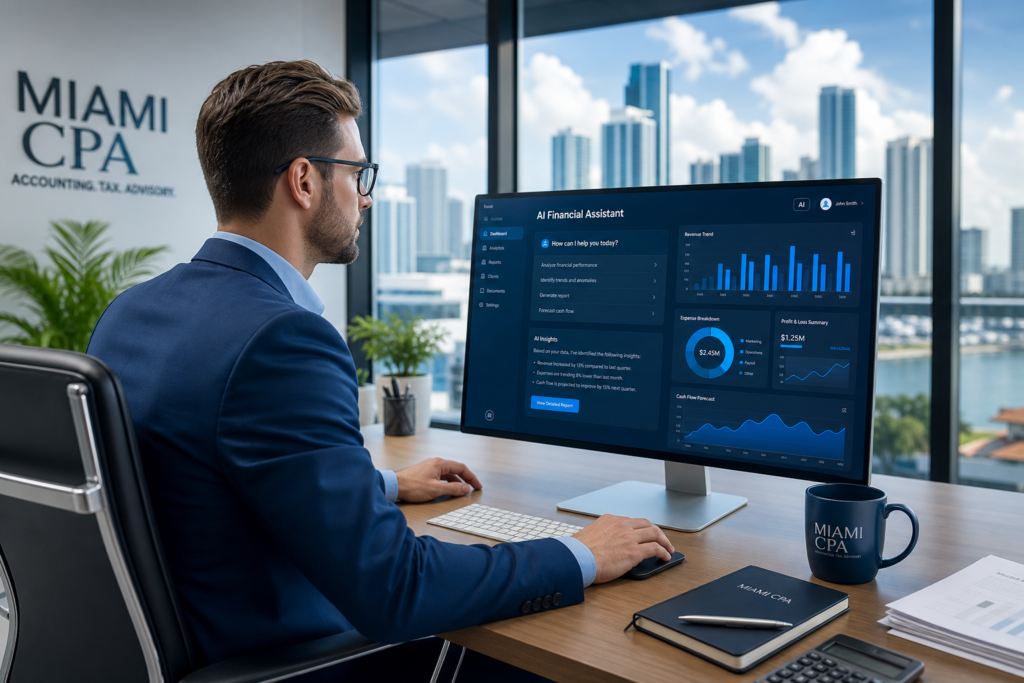
AI accounting automation in 2026 is reshaping how CPA firms, tax practices, and bookkeeping shops in Miami operate — but it only works when the underlying IT infrastructure can support it. The firms seeing the biggest efficiency gains are not just adopting the latest software; they have a reliable managed IT partner making sure QuickBooks, CCH Axcess, Drake, and Lacerte run without friction during the deadlines that count.
This guide breaks down where AI is actually saving accounting firms time and money, what IT requirements those tools create, and how Miami-area CPA firms can position their practice to take full advantage of the 2026 automation wave without creating new compliance or security risks.
What “AI Accounting Automation” Actually Means for CPA Firms in 2026
AI accounting automation refers to the use of machine learning, optical character recognition (OCR), and large language models to handle tasks that have historically required a staff accountant’s time: data entry, document classification, anomaly detection, bank reconciliation, and even parts of tax return preparation.
In practical terms, Miami accounting firms are automating:
- Receipt and invoice capture — Tools like AutoEntry, Hubdoc, and Dext (Receipt Bank) scan and categorize expense documents before they ever reach QuickBooks or Xero
- Bank feed reconciliation — AI matching engines inside QuickBooks Online Advanced and Xero reduce manual matching from hours to minutes
- Tax workpaper preparation — CCH Axcess Document and Lacerte’s SmartMap feature pre-populate workpapers from prior-year data and client-provided PDFs
- Engagement letter and proposal generation — Firms using tools like Ignition and Karbon generate scoped engagement letters automatically based on service type and client tier
- Payroll processing and payroll tax compliance — Gusto, ADP, and Paychex have embedded AI that flags discrepancies in hours, rates, and tax elections before payroll runs
- Anomaly detection and fraud alerts — AI layers in QuickBooks, Sage Intacct, and NetSuite flag unusual transactions for review — a workflow especially relevant for firms handling client bookkeeping
Every one of these automation layers depends on fast, secure, always-available IT. When the network goes down during an e-file deadline or a CCH Axcess session drops mid-workpaper, automation does not save you — it compounds the problem.
The IT Infrastructure Behind AI Accounting Tools
AI accounting software is cloud-first, but cloud-first does not mean IT-free. Accounting firms that want to run these platforms reliably need a specific IT stack underneath them. Here is what that looks like in practice at a mid-size Miami CPA firm:
1. Reliable, High-Bandwidth Internet with Failover
CCH Axcess, Thomson Reuters UltraTax Cloud, and QuickBooks Online all stream data continuously. A firm with 10 staff on Axcess simultaneously needs at minimum a 300 Mbps synchronous connection with a 4G/5G failover that kicks in automatically. During tax season (January through April 15), an internet outage is not just inconvenient — at billing rates of $200-$350/hour per senior, even 90 minutes of downtime costs a 15-person firm $3,000-$7,500 in billable capacity.
2. SOC 2-Aligned Security for Client Financial Data
Accounting firms handle client tax returns, payroll records, bank statements, and Social Security numbers. AI tools ingest and process that data automatically, which expands your exposure surface. A properly configured IT environment includes:
- Multi-factor authentication (MFA) enforced on every platform — QuickBooks, CCH, Lacerte, Drake, client portals
- Role-based access controls so staff only see client records relevant to their engagements
- Encrypted data transfer between on-premise workstations and cloud tax platforms
- Endpoint detection and response (EDR) on all firm devices, including remote worker laptops
- Email security with attachment sandboxing — Business Email Compromise (BEC) fraud targeting accounting firms increased 42% in 2025, with attackers impersonating clients to redirect ACH payments
The IRS also requires firms to maintain a Written Information Security Plan (WISP) under the Gramm-Leach-Bliley Act (GLBA). Your IT provider should be actively helping you maintain and update that document, not just pointing you to a PDF template.
3. Cloud Storage and Backup Aligned with IRS Retention Rules
The IRS requires tax preparers to retain client records for a minimum of three years, with seven years recommended for amended returns and potential audit exposure. AI tools generate a growing volume of workpapers, e-file acknowledgments, client-signed engagement letters, and source documents that need to be stored, indexed, and retrievable on demand.
A managed IT provider should configure automated backup for CCH Axcess data exports, Drake archives, and Lacerte client databases — with version control and offsite replication. Recovery time objectives (RTO) of under four hours are essential when a partner needs to pull a prior-year return at 9 PM before a client meeting.
4. Workstation and Performance Standards for Tax Software
Drake and Lacerte in particular are still partly Windows-native and CPU-intensive. A workstation that was adequate three years ago may struggle with AI-assisted features. Recommended minimums for a Miami accounting firm in 2026:
| Component | Minimum (Drake/Lacerte) | Recommended (Axcess/AI Tools) |
|---|---|---|
| CPU | Intel Core i5 (12th gen+) | Intel Core i7/i9 (13th/14th gen) |
| RAM | 16 GB | 32 GB |
| Storage | 512 GB SSD | 1 TB NVMe SSD |
| Display | 24″ 1080p | Dual 27″ 1440p |
| OS | Windows 11 Pro | Windows 11 Pro, fully patched |
Underpowered hardware is the silent bottleneck that kills AI automation ROI. A staff accountant waiting 45 seconds for Lacerte to load a large return, multiplied across 200 returns and five staff, is hours of absorbed cost that never shows up in a technology budget but absolutely shows up in realization rates.
AI Accounting Software Map: What Miami Firms Are Actually Using
Not all accounting AI is the same. Here is a breakdown of the platforms Miami CPA firms are using and what IT support each requires:
CCH Axcess (Wolters Kluwer)
CCH Axcess is the cloud-native tax and practice management platform for mid-size to large firms. It includes Axcess Tax, Axcess Document, Axcess Workflow, and the AI-powered CCH iQ research engine. Because it is fully cloud-based, it requires consistent internet with low latency. Single sign-on (SSO) integration with Microsoft 365 is strongly recommended — it simplifies access management and reduces the attack surface. IT should configure Conditional Access policies so Axcess can only be accessed from managed, compliant devices.
Drake Tax
Drake is widely used among small to mid-size Miami tax practices, particularly those serving individual filers and small businesses. It is a Windows-installed application with a cloud-hosted database option (Drake Hosted). Firms using Drake need a managed file server or Drake Hosted configuration, regular database backups, and a Citrix or RDS setup if staff work remotely. Drake’s AI features are limited compared to CCH, but its speed and stability make it a workhorse.
Lacerte (Intuit)
Lacerte is the premium Intuit tax product used by complex return preparers. It has deep SmartMap integration for pulling prior-year data forward and is increasingly connected to QuickBooks Accountant tools for bookkeeping-adjacent AI features. Like Drake, Lacerte is Windows-native and requires local or hosted infrastructure, robust backup, and a well-managed Citrix or Windows Server Remote Desktop environment for multi-user access.
QuickBooks Online + QuickBooks Accountant
For firms handling client bookkeeping, QuickBooks Online’s AI categorization, anomaly detection, and cash flow forecasting features are increasingly accurate. Firms managing 30+ client QBO subscriptions through QuickBooks Accountant need proper user access management — each client file should be siloed so a staff error in one client’s books cannot affect another. IT should audit QBO access controls quarterly.
Sage Intacct and NetSuite (Mid-Market Clients)
Miami accounting firms that serve mid-market clients — construction companies, multi-entity real estate investors, healthcare groups — often work inside their clients’ Sage Intacct or NetSuite environments. These platforms have strong AI-assisted financial close and intercompany consolidation features. IT support here focuses on secure remote access, MFA enforcement, and session logging for SOC 2 alignment.
What Your IT Provider Should Be Doing to Support AI Accounting Automation
Many accounting firms in Miami have IT providers who are generalists — they fix computers and manage email. That is not enough when you are running AI tools that handle sensitive client financial data, operate under IRS and state tax board compliance requirements, and have zero tolerance for downtime during filing deadlines.
A qualified MSP serving an accounting firm should be doing the following:
- Maintaining your WISP (Written Information Security Plan) — reviewing and updating it annually, not just handing you a template
- Managing MFA across every platform — QuickBooks, CCH, Drake, Lacerte, client portals, Microsoft 365
- Configuring and testing your backup and disaster recovery — with documented recovery time objectives, not just a “we have backup” checkbox
- Monitoring endpoint security on all devices — including remote staff laptops and home offices where staff are accessing Axcess or Lacerte during busy season
- Advising on hardware refresh cycles — flagging workstations that will bottleneck AI tools before busy season hits
- Providing proactive patch management — keeping Windows, tax software, and security tools current without scheduling patches during filing deadlines
- Delivering vCIO-level planning — helping you budget for new AI tools, evaluate vendor options, and plan infrastructure upgrades 12 months ahead
If your current IT provider is not doing most of those things, you are running AI accounting automation on a foundation that was not built to support it.
Data Security Risks Specific to AI Accounting Tools
AI accounting automation introduces security risks that generic IT providers are not trained to handle. The three most significant for Miami CPA firms:
Training Data and AI Prompt Leakage
Some AI tools (particularly generative AI assistants being used ad hoc by staff) send data to third-party servers for processing. A staff accountant pasting a client’s P&L into ChatGPT or Claude to generate a summary is a GLBA violation — client financial data is being transmitted to a non-GLBA-compliant processor. Firms need a documented AI use policy that specifies which tools are approved, what data can be input, and how outputs must be reviewed.
Business Email Compromise (BEC) Targeting Accounting Firms
Attackers study accounting firm workflows. During busy season, they impersonate clients requesting W-2 data, payroll files, or ACH payment redirections. AI-powered phishing emails are increasingly indistinguishable from legitimate client communications. Email security must include advanced attachment sandboxing, sender reputation analysis, and staff training — not just a spam filter.
Ransomware Targeting Tax Software Databases
Drake, Lacerte, and ProSeries databases are high-value ransomware targets. Attackers know that a tax firm locked out of its data on April 12th will pay almost anything to get it back. Immutable backups (backups that cannot be encrypted or deleted by ransomware) stored offsite are non-negotiable. Your IT provider should be able to demonstrate this capability with a documented recovery test, not just a verbal assurance.
Is Your Miami Accounting Firm Ready for AI Automation? A Quick Checklist
Before rolling out new AI accounting tools, verify your IT environment meets these baselines:
- MFA is active on all tax platforms, email, and client portals
- Internet connection has documented failover (tested, not assumed)
- All workstations are Windows 11 Pro, patched within the last 30 days
- Backup recovery was tested within the last 90 days with a documented result
- Staff have signed an AI use policy specifying approved tools and prohibited data inputs
- Your WISP was reviewed within the last 12 months
- Your IT provider has documented experience supporting accounting firm software (CCH, Drake, Lacerte, QBO)
- Endpoint detection and response (EDR) is running on all firm devices, including remote workers
If three or more of those items are missing or uncertain, your firm is not ready to extract full value from AI accounting automation — and may be creating compliance exposure in the process.
How Transform 42 Supports AI Accounting Automation for Miami CPA Firms
Transform 42 Inc is a veteran-owned managed IT provider based in Miami, Florida. We work exclusively with accounting firms, law firms, and medical practices — not general small businesses. That focus means we understand the difference between a Drake-hosted environment and a CCH Axcess deployment, and we know what IRS Publication 4557 (Safeguarding Taxpayer Data) actually requires from an IT perspective.
Our managed IT services for accounting firms are designed around your tax calendar, not a generic SLA. We do not schedule major updates during January through April 15. We maintain your WISP documentation. We advise on AI tool selection and configure secure access so your staff can use automation without creating compliance gaps.
We also offer vCIO services that help accounting firm principals plan technology investments 12-18 months out — so you are not buying new hardware in February when you should be focused on tax season. Our managed IT services in Miami include proactive monitoring, patch management, backup verification, and security incident response.
If your accounting firm is evaluating AI automation tools for 2026-2027 and wants to make sure the IT foundation is ready to support them, we offer a free IT assessment for qualifying firms in the Miami-Dade, Broward, and Palm Beach area. No commitment, no sales pressure — just a clear picture of where your infrastructure stands and what it would take to get it where you need it to go.
Frequently Asked Questions
What IT infrastructure does an accounting firm need to run AI accounting tools in 2026?
An accounting firm running AI accounting tools in 2026 needs a minimum 300 Mbps synchronous internet connection with 4G/5G failover, Windows 11 Pro workstations with at least 16 GB of RAM (32 GB recommended for CCH Axcess), MFA enforced on all platforms, endpoint detection and response (EDR) on all devices, and immutable offsite backup with documented recovery testing. These are the baseline requirements — not optional extras — for firms using CCH Axcess, Drake, Lacerte, or QuickBooks AI features.
Is CCH Axcess secure enough for handling client tax data?
CCH Axcess (Wolters Kluwer) maintains SOC 2 Type II compliance and encrypts data in transit and at rest. However, the security of your firm’s Axcess environment depends heavily on how it is configured. Firms must enforce MFA, configure Conditional Access policies to restrict access to managed devices, and implement role-based permissions so staff only access the client files relevant to their engagements. Your IT provider should configure and audit these controls, not leave them at default.
What is the biggest IT risk for Miami accounting firms using AI automation tools?
The biggest IT risk for Miami accounting firms using AI automation is Business Email Compromise (BEC) — attackers impersonating clients to redirect ACH payments, steal W-2 data, or extract payroll files. AI-powered phishing has made these attacks harder to detect. The second biggest risk is ransomware targeting Drake, Lacerte, and ProSeries databases, which are known high-value targets. Both risks require a proactive managed IT provider with accounting-specific security expertise, not a generalist break-fix shop.
Do accounting firms in Miami need a Written Information Security Plan (WISP)?
Yes. The IRS requires all tax preparers and accounting firms that handle taxpayer data to maintain a Written Information Security Plan (WISP) under the Gramm-Leach-Bliley Act (GLBA) and IRS Publication 4557. The WISP must document how your firm protects client data, including access controls, encryption, backup, incident response, and vendor management. Your managed IT provider should actively help you maintain and update this document — not just provide you a template to fill out yourself.
What is the best managed IT service for accounting firms in Miami?
The best managed IT service for a Miami accounting firm is one that specializes in the accounting and tax vertical — not a generalist MSP that serves restaurants, retail shops, and professional services interchangeably. Look for a provider with direct experience supporting CCH Axcess, Drake, Lacerte, and QuickBooks Accountant environments, a working knowledge of IRS Publication 4557 and GLBA requirements, and a service level agreement (SLA) that accounts for your tax season calendar. Transform 42 Inc serves accounting firms, law firms, and medical practices in Miami-Dade, Broward, and Palm Beach — contact us for a free IT assessment.
Stay Ahead of IT Risks in Your Industry
Weekly insights on cybersecurity, compliance, and IT strategy for accounting firms, law firms, and medical practices.