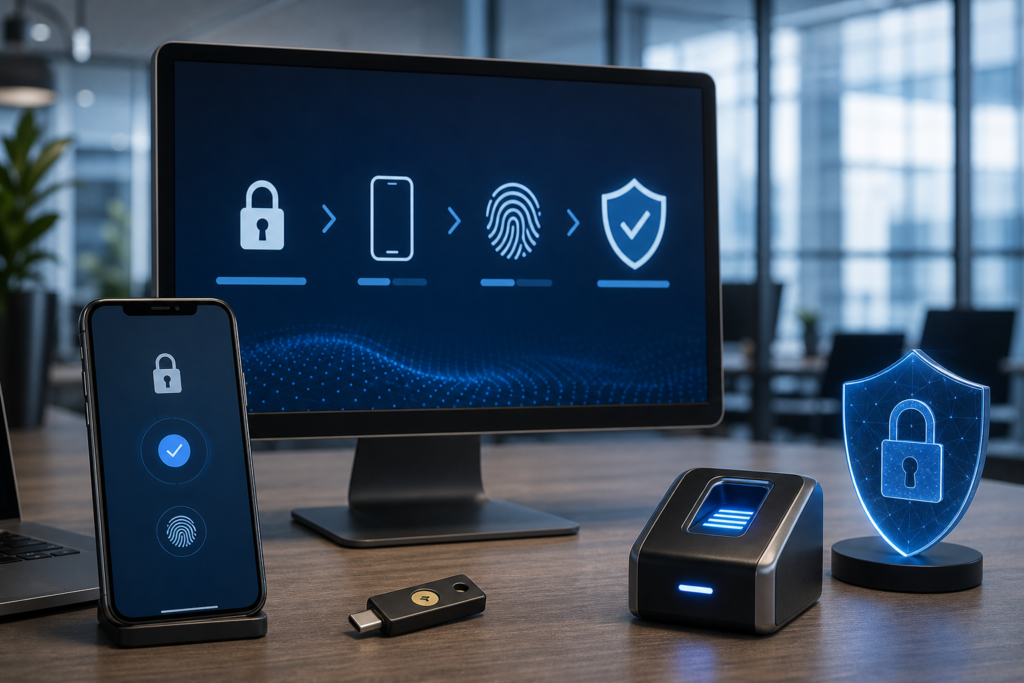
82% of Data Breaches Involve Human Elements: Multi-Factor Authentication Best Practices for Professional Services
Multi-factor authentication (MFA) is no longer an optional security layer; it is the primary defense mechanism for any professional services firm handling sensitive client data in 2026. To be effective, MFA must move beyond vulnerable SMS codes toward phishing-resistant methods like FIDO2 hardware keys and biometric passkeys. At Transform 42 Inc, a Service-Disabled Veteran-Owned Small Business, we have seen that firms implementing phishing-resistant MFA reduce their risk of account takeover by nearly 99%.
As the CEO of Transform 42 Inc, I have spent years securing high-stakes environments. In Miami’s fast-paced business climate—where law firms, accounting practices, and medical groups are prime targets for international cybercrime—the “how” of your MFA implementation matters more than the “if.” If your firm still relies on text message codes, you are essentially leaving your front door locked but the windows wide open.
The Evolution of MFA: Why SMS and Voice are Obsolete
The most effective multi-factor authentication best practices for professional services now dictate the complete removal of SMS and voice-based authentication due to the prevalence of SIM-swapping and interception attacks. Modern security standards, such as NIST SP 800-63B, explicitly discourage these methods for high-assurance environments. Professional services firms must transition to “something you have” (a physical token) or “something you are” (biometrics) rather than “something sent to you.”
The Rise of MFA Fatigue and Push Bombing
Cybercriminals have adapted to standard app-based push notifications through “MFA fatigue” attacks. In these scenarios, an attacker who has stolen a password sends dozens of push requests to a user’s phone, hoping the user will eventually tap “Approve” just to stop the noise. This is why CISA MFA guidance now strongly recommends “number matching.”
With number matching, the user must type a specific code displayed on their login screen into their authenticator app. This ensures the person approving the login is physically looking at the device trying to gain access. We implement this as a standard for our clients using Microsoft Entra ID (formerly Azure AD) to prevent accidental approvals during a busy Miami workday.
Phishing-Resistant MFA: The Gold Standard for 2026
Phishing-resistant MFA is the only authentication method that can stop advanced “adversary-in-the-middle” (AiTM) attacks where hackers proxy a fake login site to steal both passwords and session tokens in real-time. To achieve this, firms must adopt FIDO2/WebAuthn standards. This technology creates a cryptographic link between the user’s device and the specific service they are accessing, making it impossible for a fake site to intercept the credentials.
Hardware Keys vs. Passkeys
For our legal clients and accounting firms, we often recommend a hybrid approach. Hardware keys like the YubiKey or Google Titan provide the highest level of physical security. These are nearly indestructible and essential for administrators or partners with access to escrow accounts and sensitive litigation files.
Passkeys are the newer, software-based alternative that uses the biometrics already built into your smartphone or laptop (like FaceID or Windows Hello). They offer the same phishing resistance as hardware keys but are often easier for general staff to adopt. Industry leaders like Okta and 1Password have moved aggressively to support passkeys, making them a viable enterprise-grade solution for 2026.
Compliance Requirements for Miami Professional Services
Regulatory bodies have moved from suggesting MFA to mandating it, with specific requirements for how it is deployed. In Florida, the Florida Information Protection Act (FIPA) requires “reasonable” security measures, which in 2026, courts and insurers define as MFA at a minimum.
- Healthcare: HIPAA §164.312 requires technical safeguards for electronic protected health information (ePHI). For our medical practice clients, this means MFA is required for any remote access to EHR systems.
- Accounting: IRS Publication 4557 mandates that tax preparers use MFA to protect taxpayer data. Failure to do so can lead to the suspension of EFINs.
- Legal: ABA Formal Opinion 477R emphasizes the duty of lawyers to use “extraordinarily strong” security when communicating highly sensitive information.
- Federal Contractors: Per Executive Order 14028, any firm doing business with the federal government must adopt phishing-resistant MFA.
MFA Implementation Costs and Comparison
Choosing the right MFA strategy involves balancing security, user friction, and budget. As a Service-Disabled Veteran-Owned Small Business, Transform 42 Inc focuses on mission-critical efficiency—getting the best protection for every dollar spent.
| MFA Method | Security Level | Estimated Cost (Per User) | Best For |
|---|---|---|---|
| SMS / Voice | Low (Vulnerable) | $0 (Included) | Not recommended for professional services |
| Standard Push (App) | Medium | $3 – $6 / month | General administrative staff |
| Number Matching Push | High | $3 – $9 / month | Standard for all professional staff |
| FIDO2 Hardware Keys | Maximum | $50 – $85 (One-time) | Partners, IT Admins, Finance Officers |
| Biometric Passkeys | Maximum | Included in modern OS | Remote workers and mobile professionals |
Conditional Access: The “Brain” of Your MFA Strategy
MFA should not be a “dumb” gatekeeper that triggers every single time a user clicks a button; it should be an intelligent system that evaluates risk in real-time. Using Microsoft Entra ID Conditional Access policies, we can create rules that make security seamless for your team while tightening the screws on attackers.
For example, we can configure your system to allow a lawyer to log in from your Brickell office without a second prompt, but require a YubiKey and a biometric scan if that same lawyer tries to log in from a coffee shop in South Beach or while traveling abroad. We also implement “impossible travel” alerts—if a user logs in from Miami and then ten minutes later from Eastern Europe, the system automatically blocks access and alerts our security team.
This risk-based approach is a core component of our managed IT services. It reduces “MFA fatigue” by only asking for verification when the context of the login changes, such as a new device, a new location, or an unusual time of day.
The Human Element: Training Your Team for 2026
Technology alone cannot solve a culture of convenience that bypasses security. Your staff must understand that MFA is not a nuisance; it is the digital equivalent of the hurricane shutters we use here in South Florida. It is a necessary protection against a predictable and recurring threat.
We recommend regular “tabletop exercises” where your team walks through a simulated breach. Show them what a phishing email looks like in 2026—often generated by AI to be indistinguishable from a real partner’s request. When they understand that an attacker might call them pretending to be “IT Support” asking for an MFA code, they are much less likely to give it up. At Transform 42 Inc, we provide this training as part of our commitment to being a trusted advisor, not just a vendor.
Securing Your Firm’s Future
The threat landscape for Miami’s professional services firms is more complex than ever. Between the rise of AI-driven phishing and the increasing regulatory pressure from both state and federal levels, your MFA strategy must be robust, phishing-resistant, and intelligently deployed. As a Service-Disabled Veteran-Owned Small Business, we bring a disciplined, tactical approach to your firm’s cybersecurity.
Don’t wait for a breach to discover that your security measures are outdated. Whether you are managing a multi-provider medical practice, a high-volume accounting firm, or a prestigious law office, the time to upgrade to phishing-resistant MFA is now.
Ready to secure your firm? Contact us today or schedule a free IT assessment to see how we can harden your defenses and ensure your compliance for 2026 and beyond.
Frequently Asked Questions
Is SMS-based MFA better than having no MFA at all?
While SMS is better than a password alone, it is no longer considered secure for professional services due to the ease of SIM-swapping and interception. Firms should transition to authenticator apps or hardware keys immediately to meet modern compliance standards.
What is the difference between a standard push notification and number matching?
Standard push notifications allow a user to approve a login with a single tap, which is vulnerable to accidental approval or “fatigue” attacks. Number matching requires the user to enter a code shown on the login screen into the app, ensuring they are the ones actually initiating the session.
Are hardware keys like YubiKeys difficult for non-technical staff to use?
Hardware keys are actually very user-friendly; the user simply plugs the key into a USB port or taps it against their phone (via NFC) when prompted. There are no codes to type and no batteries to charge, making them one of the simplest high-security options available.
Does HIPAA specifically require phishing-resistant MFA?
While HIPAA does not name specific brands or technologies, it requires “addressable” safeguards for remote access. In 2026, given the prevalence of AiTM attacks, phishing-resistant MFA is considered the industry standard for meeting HIPAA’s technical safeguard requirements.
How does Conditional Access help reduce user frustration?
Conditional Access uses “signals” like location, device health, and IP address to determine when MFA is necessary. This means staff aren’t constantly prompted for codes while working from the trusted office network, but are strictly challenged when accessing data from high-risk environments.
Stay Ahead of IT Risks in Your Industry
Weekly insights on cybersecurity, compliance, and IT strategy for accounting firms, law firms, and medical practices.